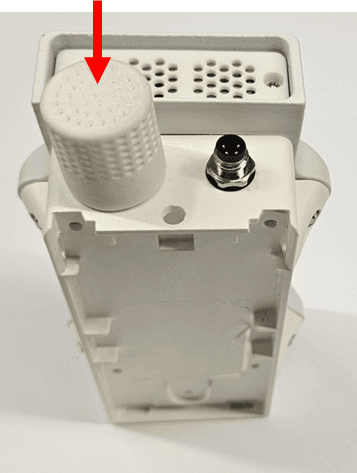
Temperature Sensor
The temperature sensor measures ambient temperature in the unit's environment. It uses a bandgap temperature reference and an integrated ADC for high-precision digital output across a wide range.
Pro series (Air Pro 2, Modbus Pro)
The temperature sensor sits inside the SB3516 front-end module, alongside the particle, humidity, pressure, and noise sensors.
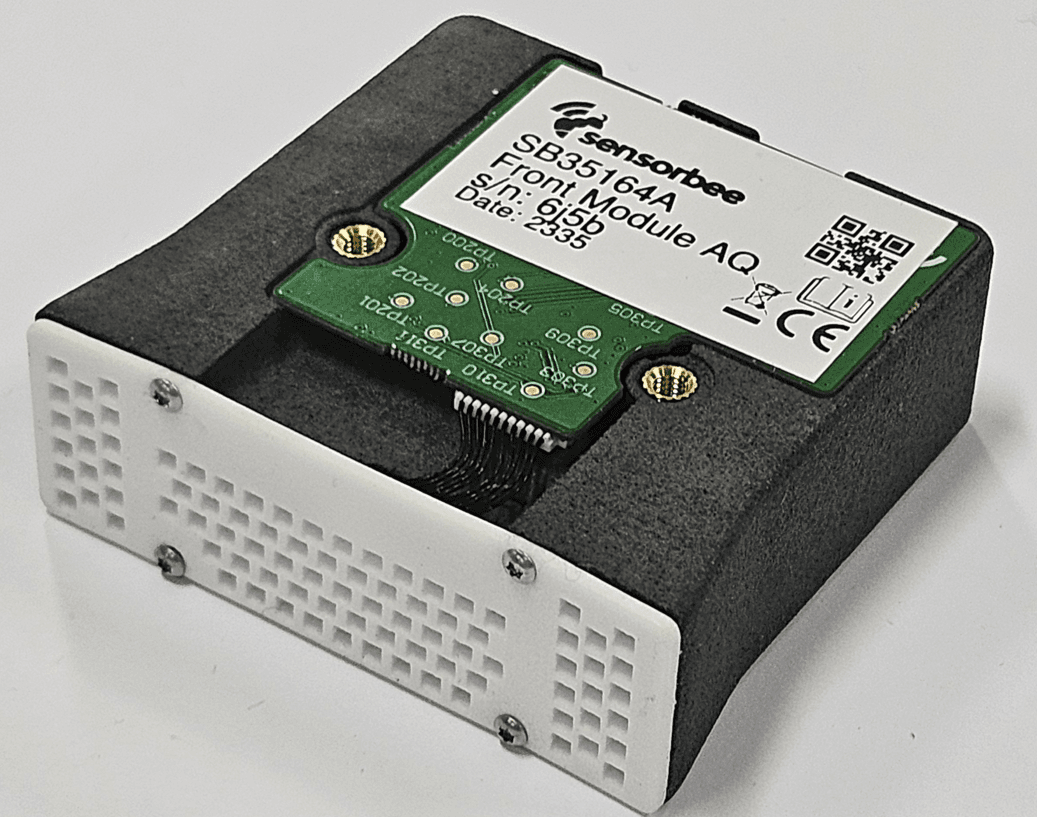
For full specifications, see the SB3516 datasheet.
Lite series (Air Lite)
The temperature sensor sits inside the SB3380 sensor dome, alongside the humidity and noise sensors.
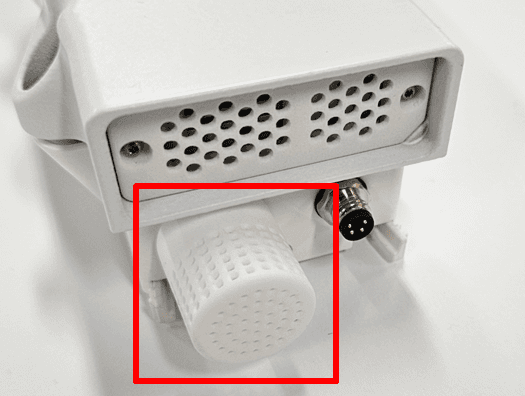
For full specifications, see the SB3380 datasheet.
Installation
Power down the unit before opening it. For Air Pro 2 / Air Lite, hold the power button for 4 seconds — wait for the LED to glow red for about 30 seconds and then turn off. For Modbus units, disconnect incoming power at the terminal block.
Pro series
The temperature sensor lives inside the SB3516 front-end module, so the replacement procedure is the same as the particle sensor. See Particle Sensor — installation.
Lite series — replacing the SB3380
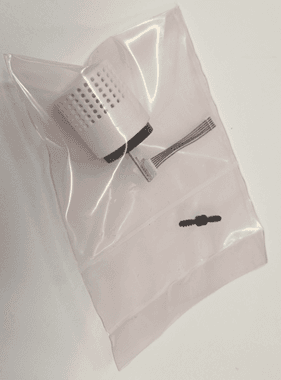
The SB3380 ships as a kit with:
- ·2 screws
- ·1 sensor mesh
- ·1 sensor mounted on a plate
- ·1 fine-pitch cable
This is an advanced procedure. Work in a clean, controlled environment with proper tools. A magnifier helps when seating the fine-pitch cable connector.1. Remove the mesh guard
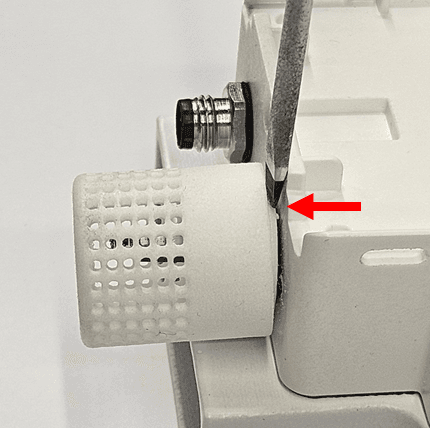
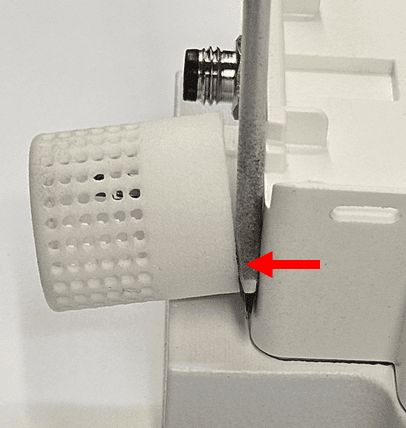
Use a small flat-head screwdriver to remove the mesh guard shielding the internal sensors.
Use a T6 Torx screwdriver to undo the two screws securing the sensor and its mounting plate.
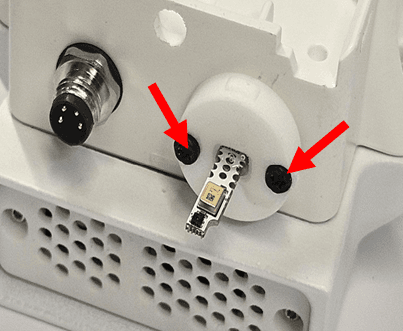
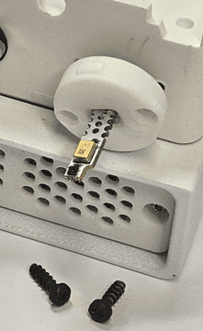
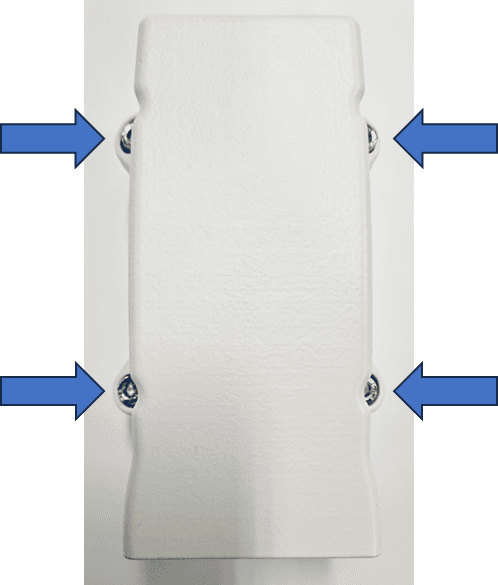
Use a PH2 Phillips screwdriver to undo the sensor-house screws.
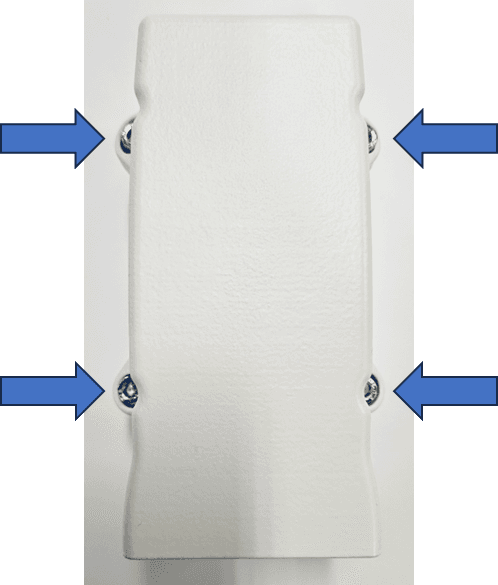
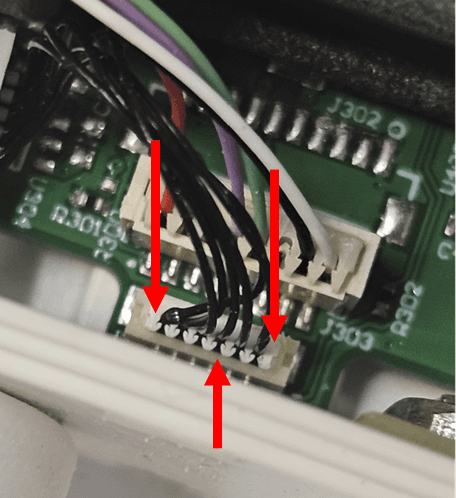
Place the sensor house upside-down next to the base, without disconnecting the cable between them. Use a small flat-head screwdriver or tweezers to gently disconnect the sensor cable connector from the PCB.
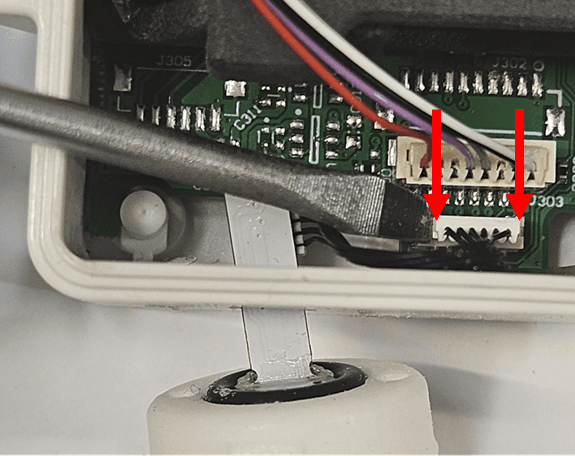
Angle the cable at the connector and gently pull it through the hole in the base cover.
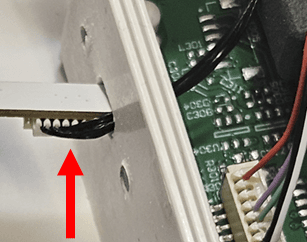
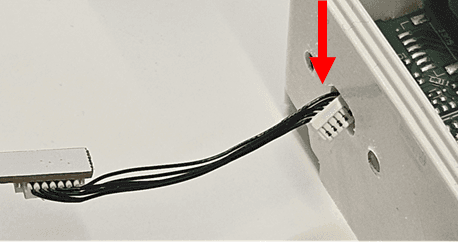
Thread the new cable through the hole in the base cover, taking care not to damage it on the edges. Fasten the two screws to secure the new sensor and its mounting plate. Make sure the plate sits flush against the base cover. The components on the sensor board should point downward (away from the particle sensor).
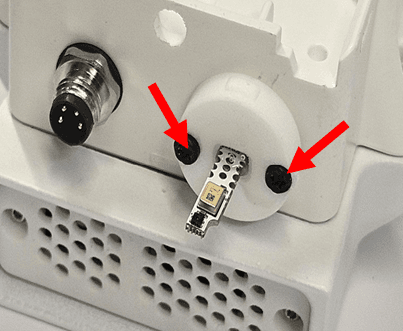
Orient the cable so the connector points toward the base cover. Press the cable connector into the PCB connector with a small flat-head screwdriver or tweezers, focusing on the edges of the connector — not the fine wires. The connector should sit nearly flush in height with the PCB connector.
Refit the sensor house with the PH2 Phillips screwdriver.
Press the mesh cover firmly into place — it can feel quite tight before it locks home.