
Main Menu
The main menu is the root of the Modbus Lite's USB-C configuration interface. All other menus are reached from here. It appears automatically once the unit boots and a serial connection is open.
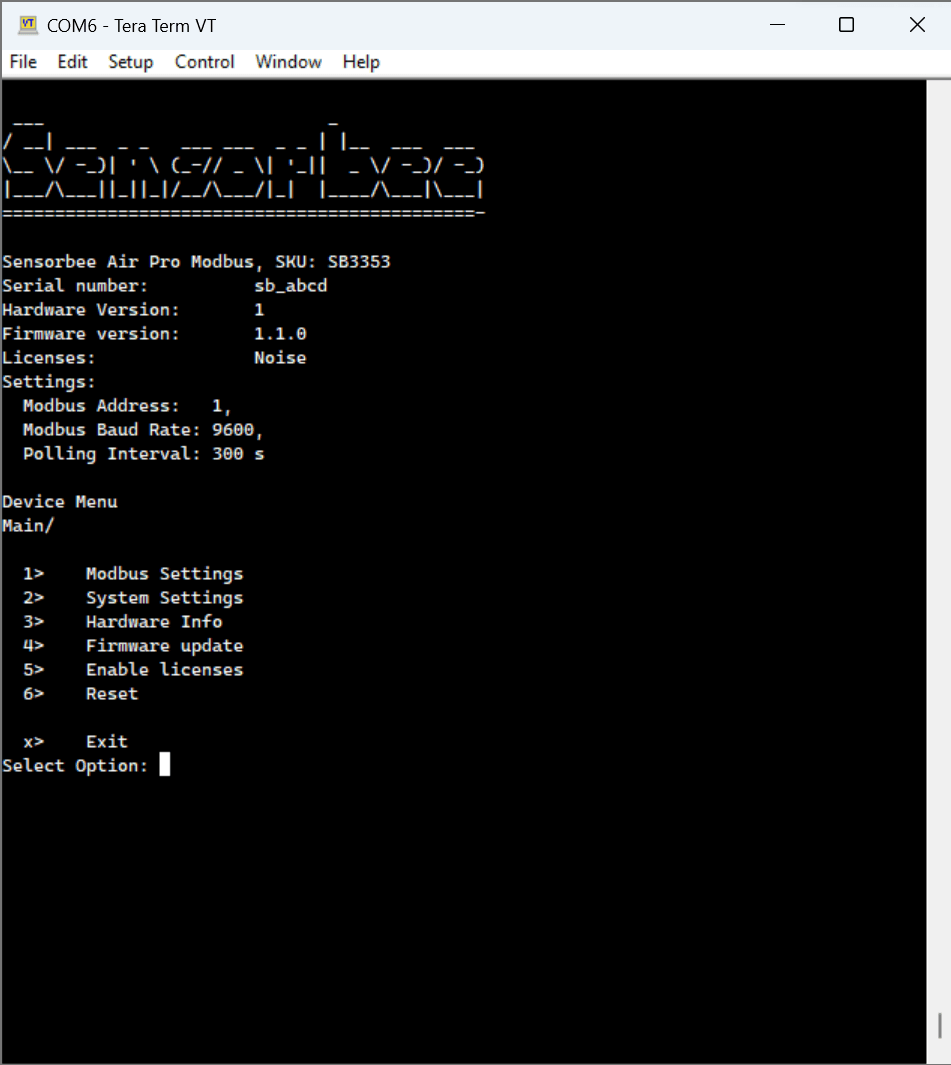
Nothing in the terminal? Press Esc — the service menu will appear. Esc is also the "back one step" key in every sub-menu, so you can bail out of a submenu without committing changes.
From here
- ·Polling interval menu — sensor read cadence.
- ·Firmware update menu — apply firmware updates over USB-C.
- ·System settings menu — initial Modbus parameters.
- ·Modbus settings menu — slave address, baud rate, and device name.
- ·Reset menu — reboot the unit.