
Modbus Settings Menu
The Modbus settings menu is where you change the three most common Modbus RTU parameters the Air Lite exposes to a host controller:
- ·Modbus address — the slave address the host uses to reach this unit.
- ·Modbus baud rate — the line speed.
- ·Modbus device name — a human-readable label to distinguish this unit from others on the bus.
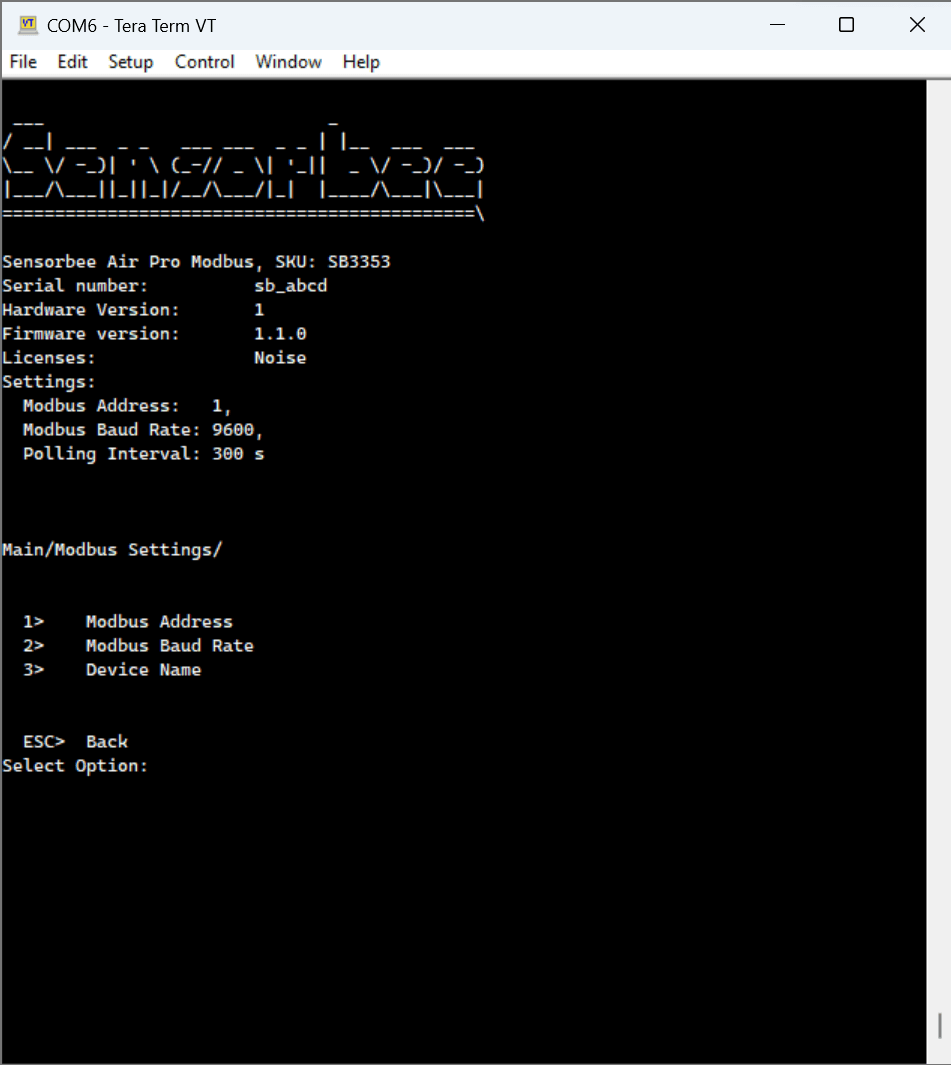
Modbus address
From the main menu, navigate to Modbus settings, then press 1.
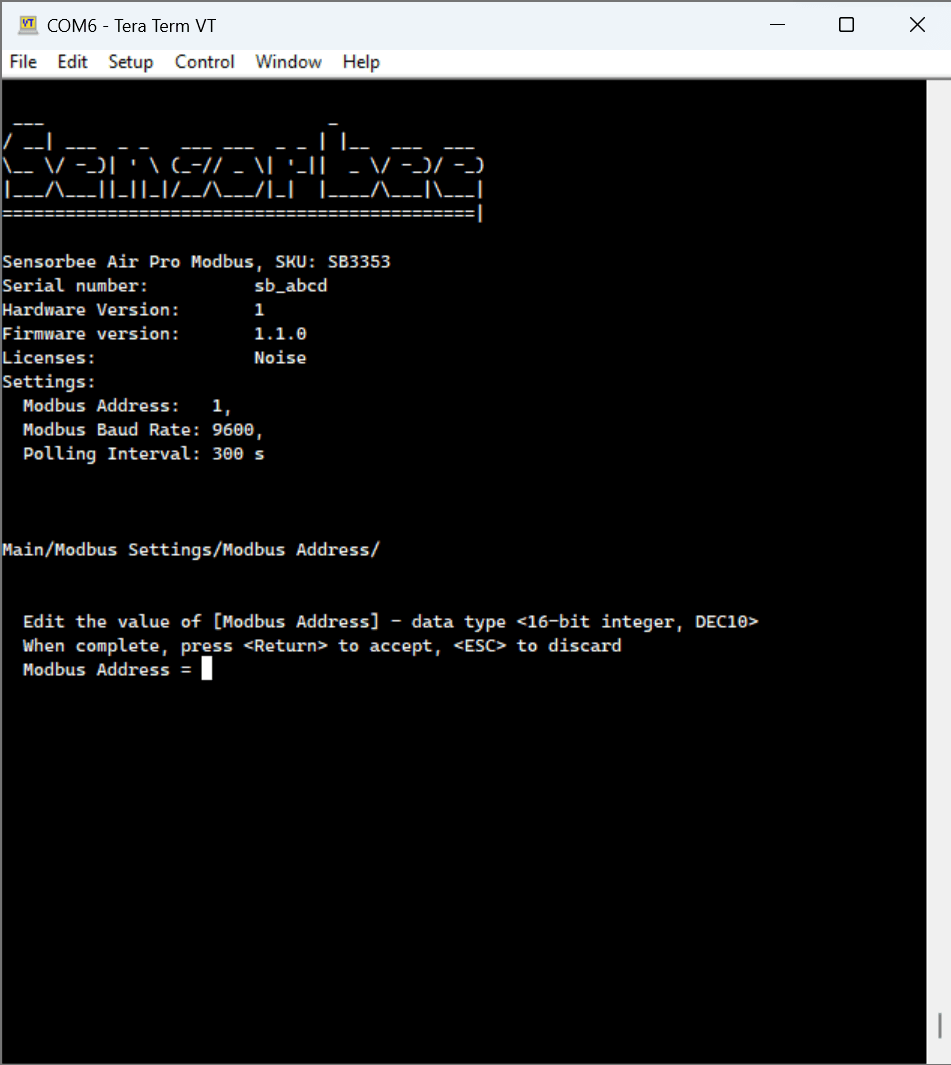
- Type the new address.
- Press Enter to confirm.
- Press Enter again to save.
Press Esc at any point to cancel and return to the previous menu.
Modbus baud rate
From the Modbus settings menu, press 2.
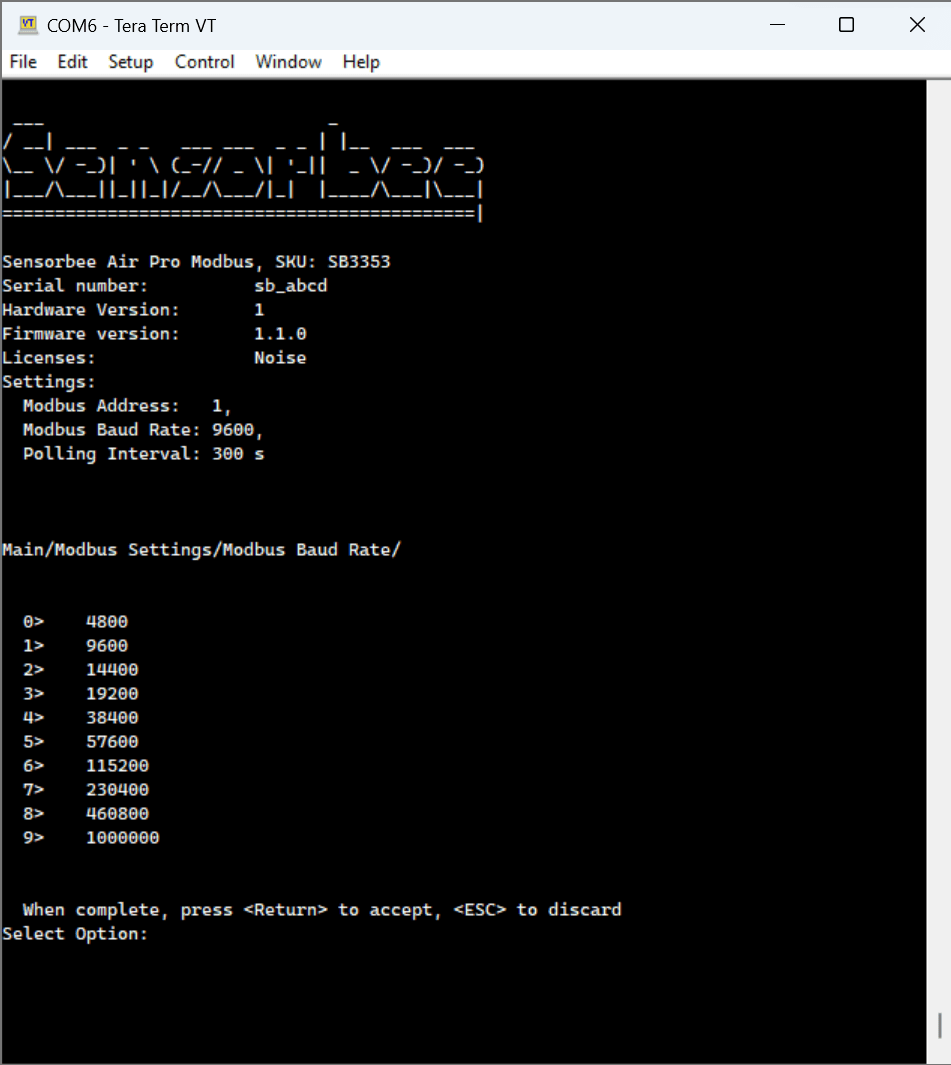
- Nine baud-rate options are listed. Press the number corresponding to the rate you want.
- Press Enter to confirm.
- Press Esc to discard the change.
Modbus device name
The device name is useful when multiple units share a bus. From the Modbus settings menu, press 3.
- Type the new name.
- Press Enter to confirm.
- Press Esc to discard the change.
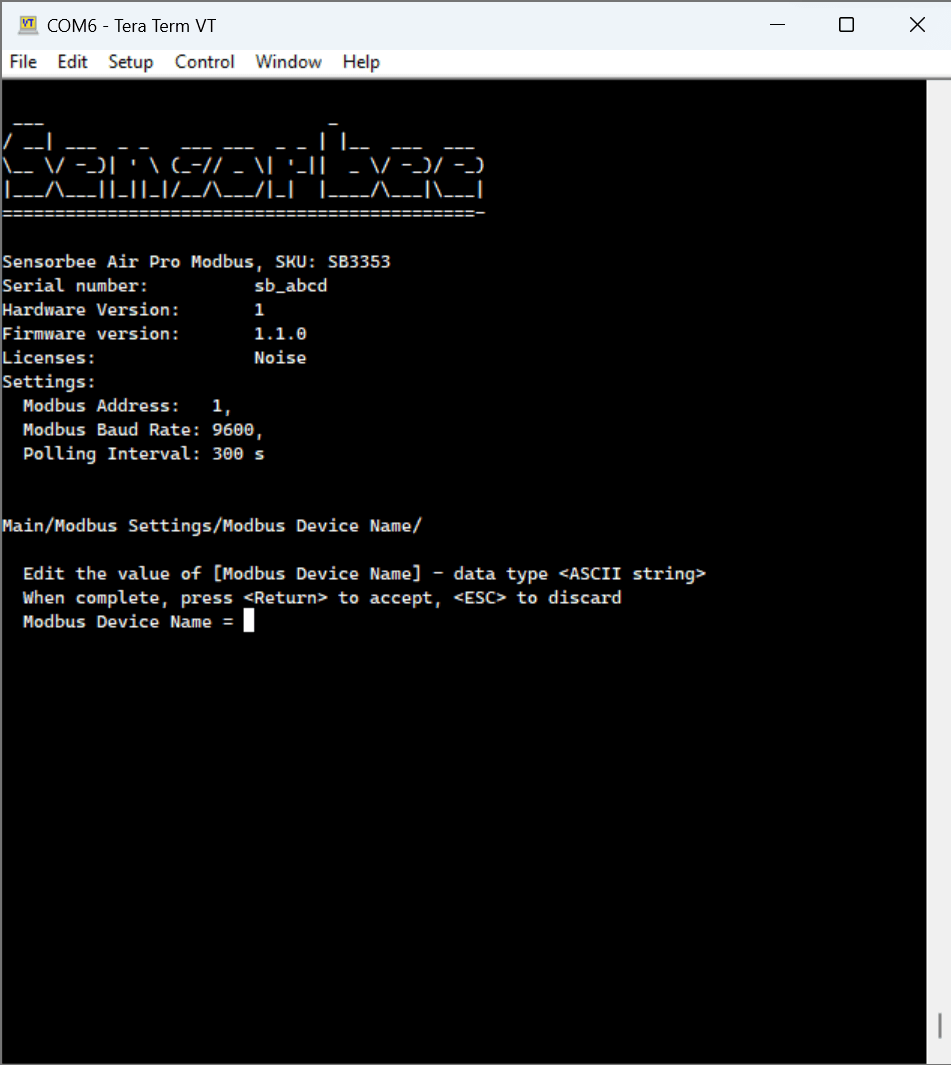
Pick a name that's short, unique, and meaningful for your deployment — e.g.site-a-northorproject-42-roof.