
Deployment
Deployment is the final stage of the quick-start. Before you mount, complete Configuration so the unit is set up correctly for your bus.
Choosing a location
Site selection depends on application — urban background, traffic-side, plant-air, etc. Universally:
- ·Keep the unit clear of local pollution sources (chimneys, flues, air-conditioning exhausts) that would skew readings.
- ·Mount between 3 and 4 metres high for most use cases.
- ·Avoid direct sunlight on the housing where possible — it raises internal temperature and affects sensor readings.
The sensor inlet must face downward. Mast and wall mounts are both supported.
Tip: connect the external cables before clipping the unit onto the bracket — usually easier than the other way round.
Mast installation
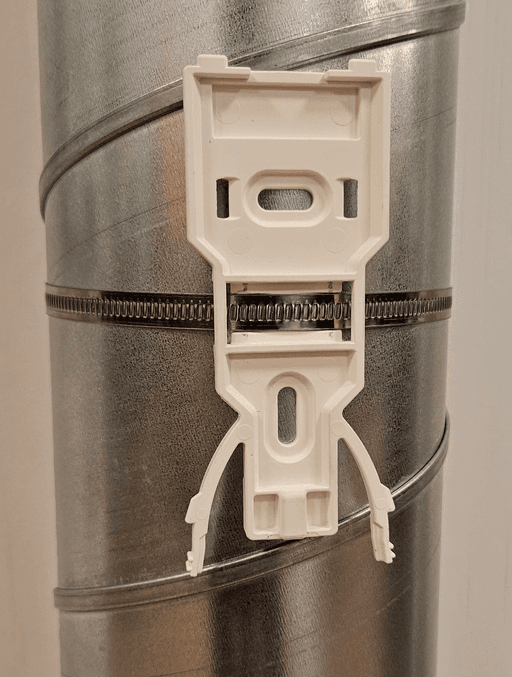
Attach the mounting bracket to the mast with the supplied stainless steel hose clamp. Clip the unit onto the bracket.
Wall installation
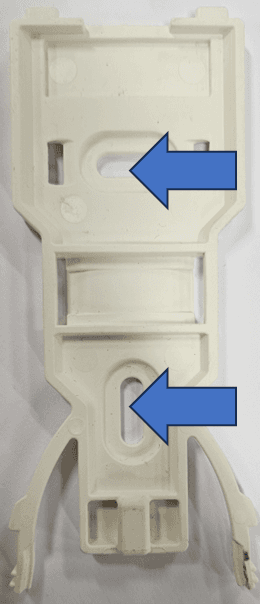
Fix the bracket to the wall with two screws appropriate for the wall material. Clip the unit onto the bracket.
Power and RS-485 wiring
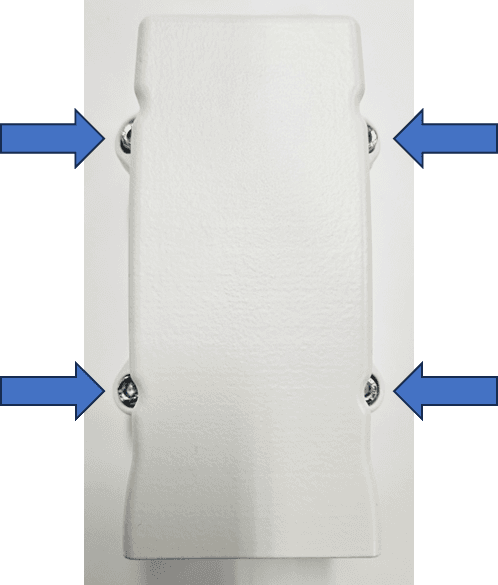
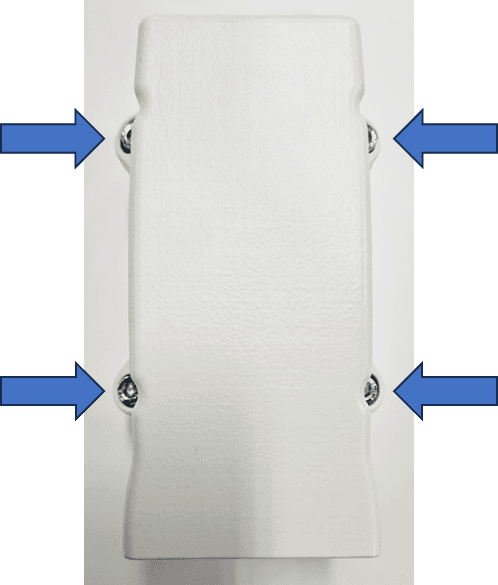
Open the sensor house with the PH2 Phillips screwdriver to access the J400 terminal block.
Wire the cables to the J400 terminal block. To insert each wire: depress the orange pin, push the stripped wire in, then release the pin.
| Pin | Function |
|---|---|
| 1 | 5–35 V DC input |
| 2 | GND (0 V) |
| 3 | GND (0 V) |
| 4 | RS-485 A |
| 5 | RS-485 B |
Bus termination
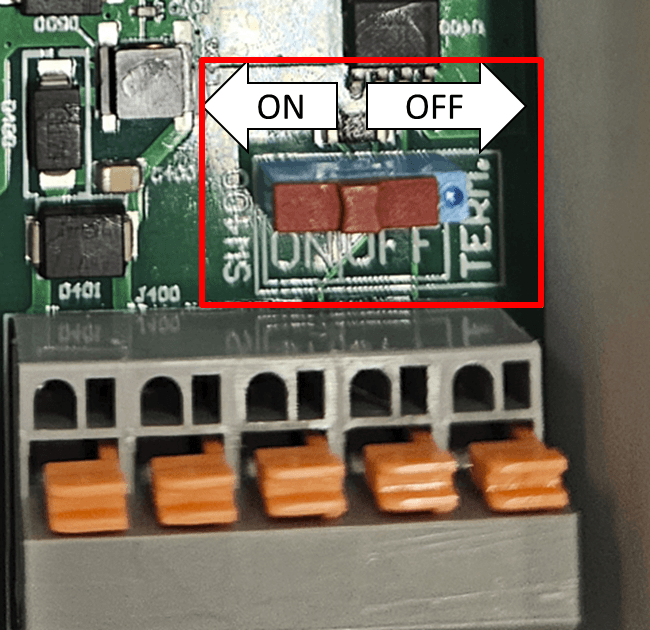
A 120 Ω termination resistor can be enabled or disabled with the SW400 switch. The on/off positions are marked on the circuit board.
Whether you need termination depends on the rest of your bus — typically you terminate at both physical ends of the RS-485 line.
Reassemble
Refit the sensor house with the PH2 Phillips screwdriver.
Double-check the cable between the sensor house and base isn't pinched in the seal.
Power on
The status LED cycles through colours as the unit boots. See Status LED for the colour reference.