
Configuration
The Sensorbee Modbus Lite must be configured before it's deployed onto the RS-485 bus — at minimum, set the slave address so it doesn't collide with other devices on the bus.
1. Open the sensor house
Use a PH2 Phillips screwdriver to undo the sensor-house screws and separate it from the base.
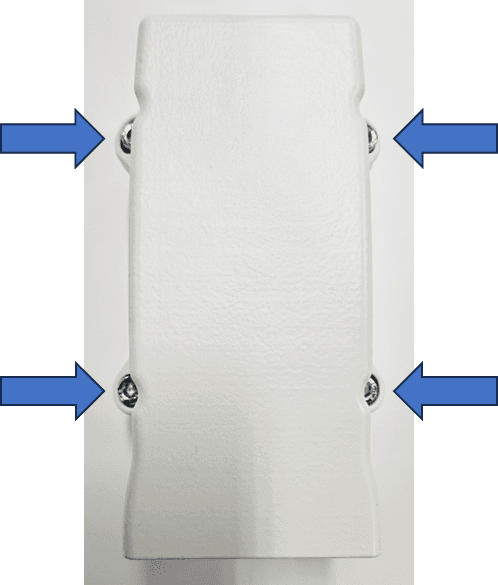
Place the sensor housing upside-down next to the base. Don't disconnect the cable between them.
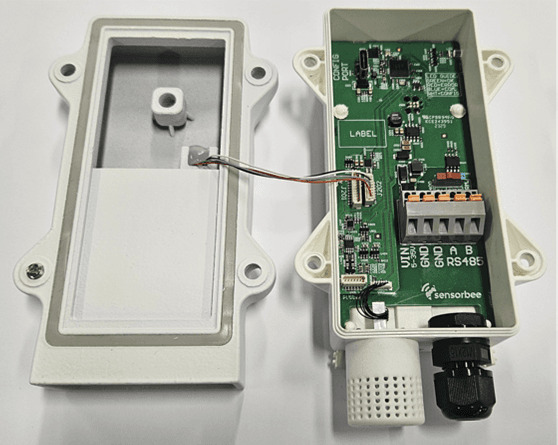
2. Connect over USB-C
Plug a USB Type-C cable from the unit's USB-C port to a laptop or desktop. The status LED illuminates white to confirm the unit is in configuration mode.
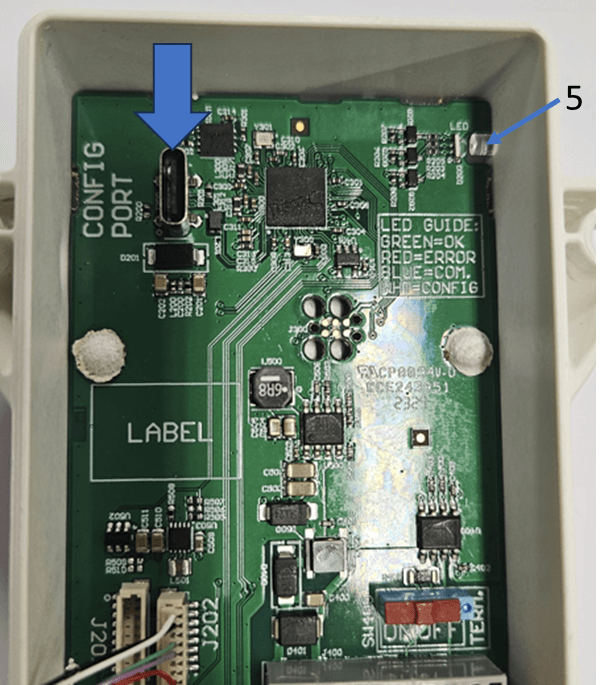
3. Open the configuration terminal
Use a serial terminal to talk to the unit. If you don't have one installed, see Terminal Emulator (Tera Term) for the install + setup walk-through.
4. Configure the unit
Step through the configuration menus to set the Modbus slave address, baud rate, parity, stop bits, and any other parameters needed for your bus. See Modbus Configuration for the menu reference.
5. Reassemble
Once configuration is complete, refit the sensor house with the PH2 Phillips screwdriver.
Double-check the cable between the sensor house and base isn't pinched in the seal. A squeezed cable can damage the wiring and compromise the IP rating.
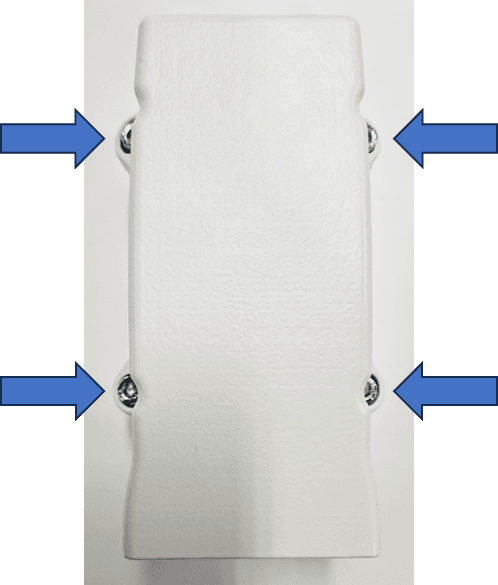
The unit is now ready for deployment. Continue to Deployment.