
Battery
The Air Lite is available with or without an internal battery. When fitted, the battery lets the unit ride through brief power interruptions.
Skip steps 4–5 if your Air Lite model shipped without a battery. Continue from step 6 to reassemble.
1. Remove the unit from the bracket
Disconnect any cables, then press the two tabs on the bracket inward and lift the unit off.
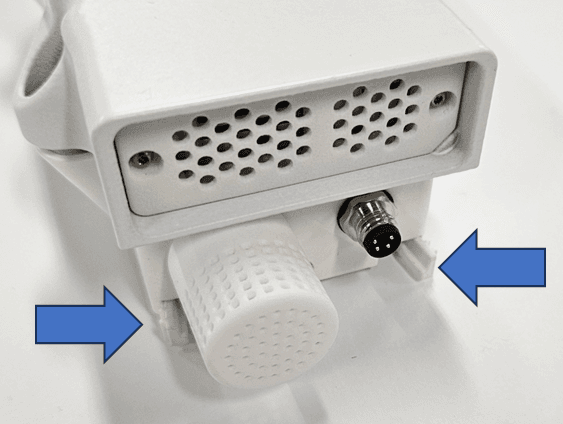
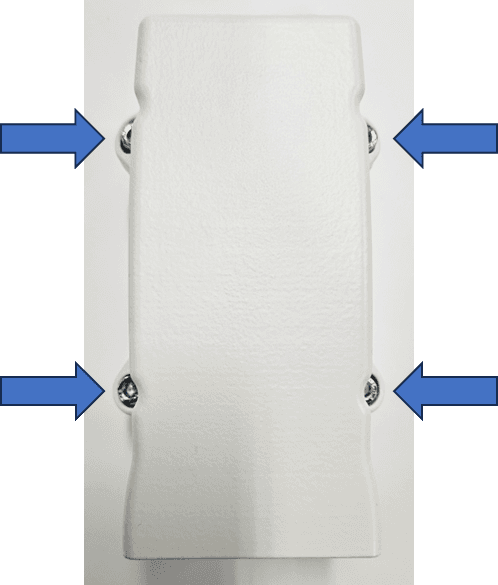
2. Open the sensor house
Use a PH2 Phillips screwdriver to undo the sensor-house screws and separate it from the base.
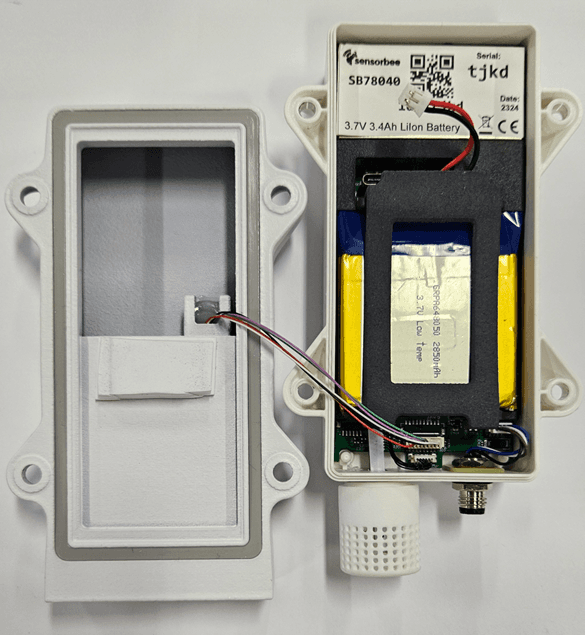
3. Position the sensor house upside down
Rest the sensor house upside-down next to the base. Leave the cable between them connected.
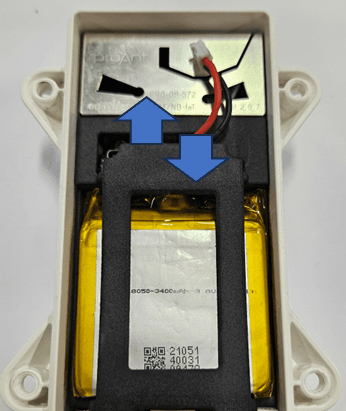
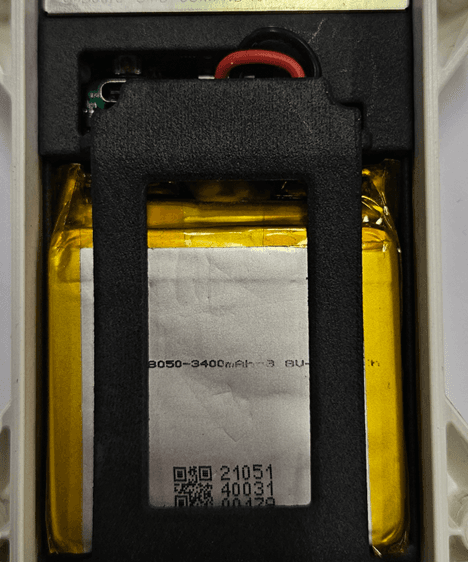
4. Remove the battery clip
Press the clip down gently and twist the edge upwards to release it.
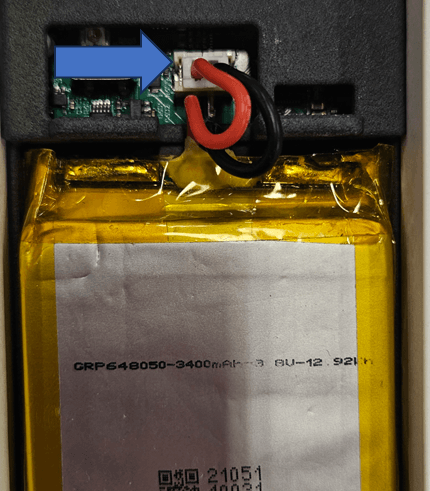
5. Connect the battery
Plug the battery connector into the 2-pin connector on the main board, then refit the battery clip.
The red (positive) cable must be on the left, closest to the USB-C connector. Reversing polarity will cause permanent damage.
6. Verify
Power the unit and watch the status LED run through its boot sequence (see Startup).
If the LED doesn't light: recheck the battery connection, and as a fallback try powering the unit from an external supply to confirm the board is fine.
7. Reassemble
Refit the sensor house to the base with the PH2 Phillips screwdriver.
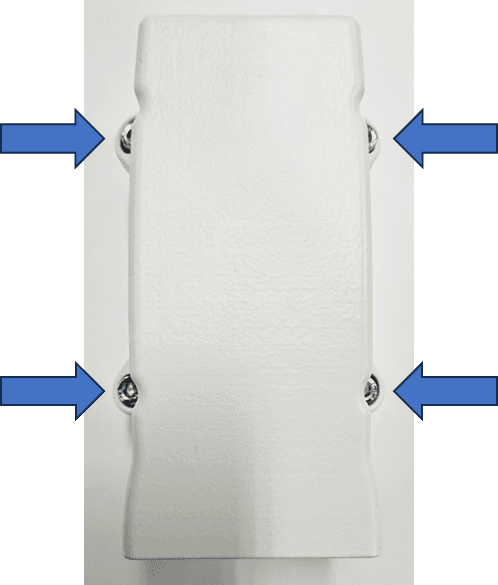
Double-check the cable between the sensor house and base isn't pinched in the seal. A squeezed cable can damage the wiring and compromise the IP rating.