
Installation of Gas Sensors
Skip this page if your Air Pro 2 was ordered with gas sensors pre-fitted at the factory, or if you're deploying without gas sensors.
The sensor house accepts up to six gas sensors plus one particulate sensor and one Envirosense module. The particulate sensor and Envirosense are always installed from the factory; the six gas-sensor bays are filled according to what was ordered.
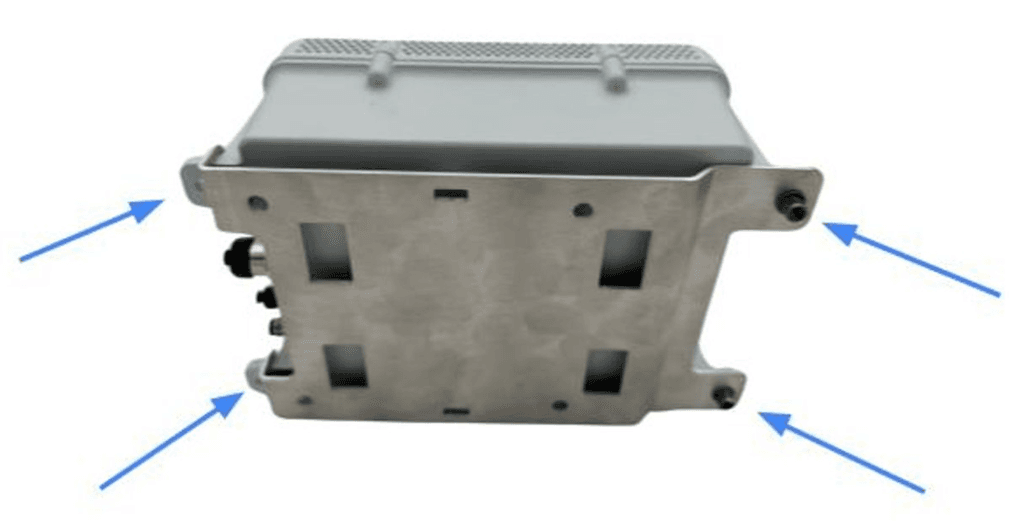
1. Remove the unit from the bracket
Disconnect any cables, then undo the four screws holding the unit to the mounting bracket.
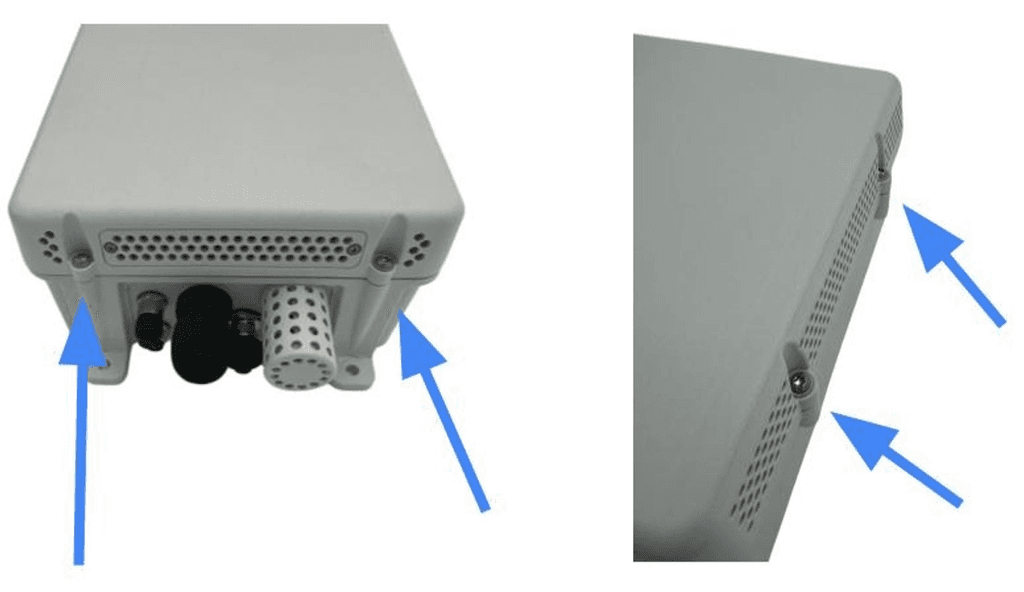
2. Unscrew the sensor house
Use a T10 Torx screwdriver to separate the sensor house from the base.
3. Place the sensor house upside down
Rest the sensor house upside-down next to the base — don't disconnect the cable between them.
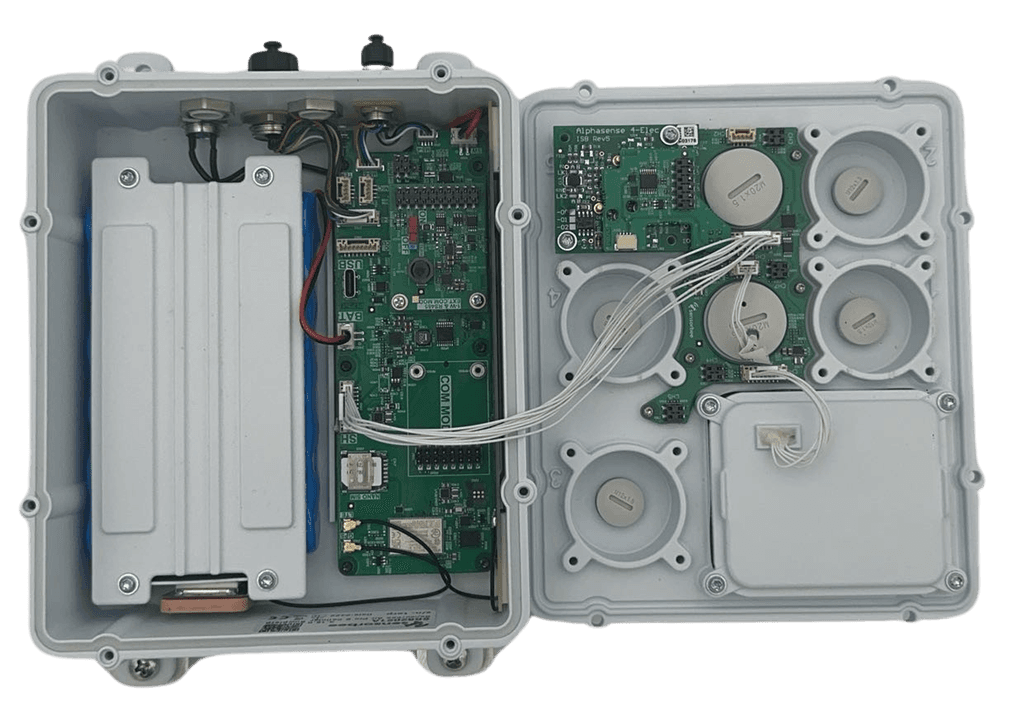
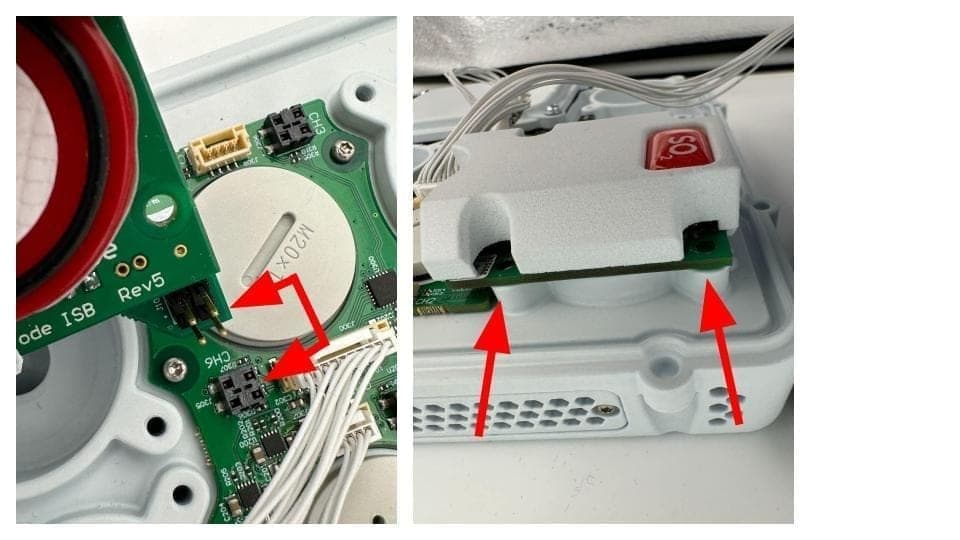
4. Remove the blanking plugs and fit the sensors
Use a flat-headed screwdriver to pop out the blanking plugs from the bays you're filling. Align each gas sensor with its mounting holes and four-pin connector, press it down firmly, and tighten the fixing screws.
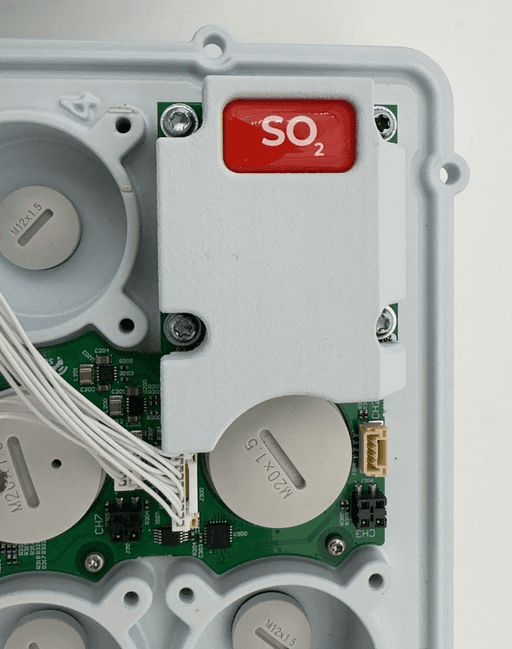
Electrochemical gas sensors need to stabilise after power-on — several hours in most cases. Plan for this when validating readings.
5. Reassemble
Refit the sensor house to the base with the T10 Torx screwdriver.
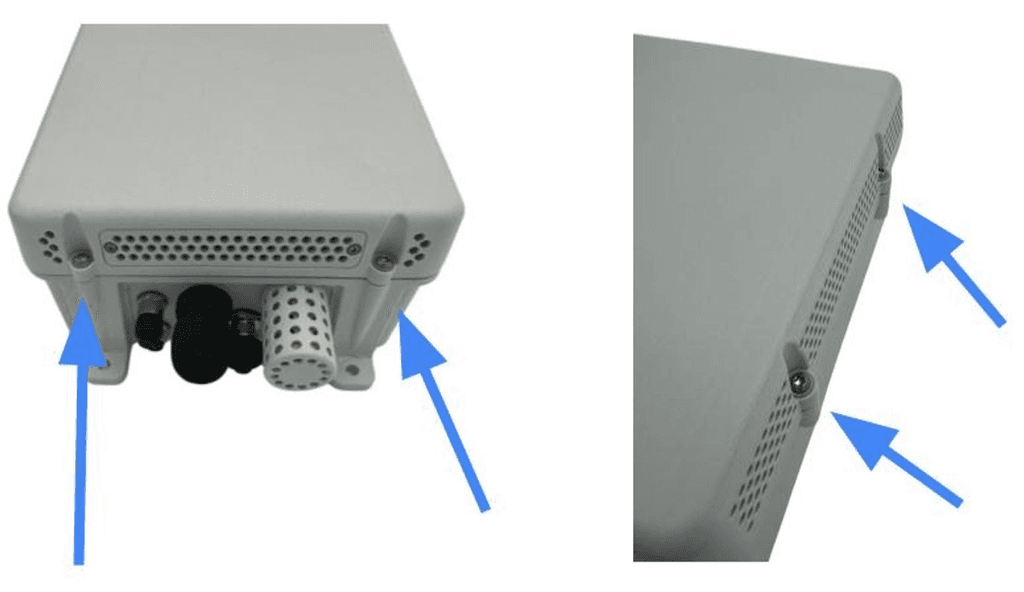
Double-check the cable between the sensor house and base isn't pinched in the seal. A squeezed cable can damage the wiring and compromise the IP rating.