
Span Calibration
Span calibration adjusts the sensor's sensitivity by anchoring it against a high-concentration reference period. Combined with a baseline calibration, it lets the sensor track real concentrations across its full useful range — not just at the zero anchor.
This page picks up after you've run an R² correlation to confirm the sensor genuinely tracks the reference data.
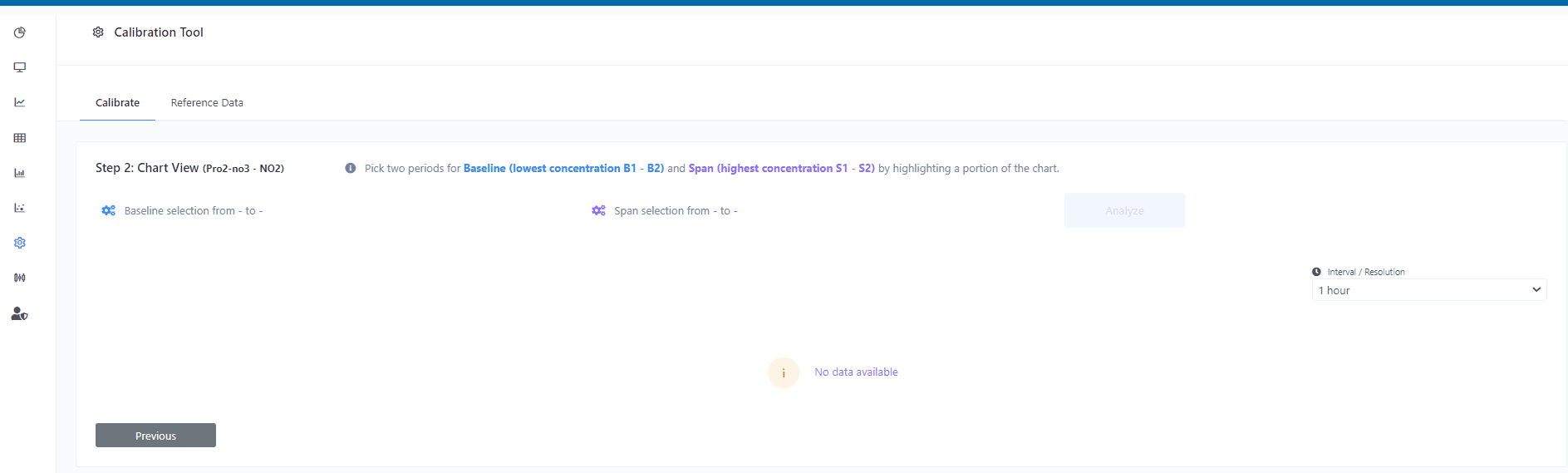
1. Pick baseline periods
Select two periods on the chart with the lowest gas concentrations — B1 and B2. These define the calibration baseline. Highlight the two periods directly on the chart.
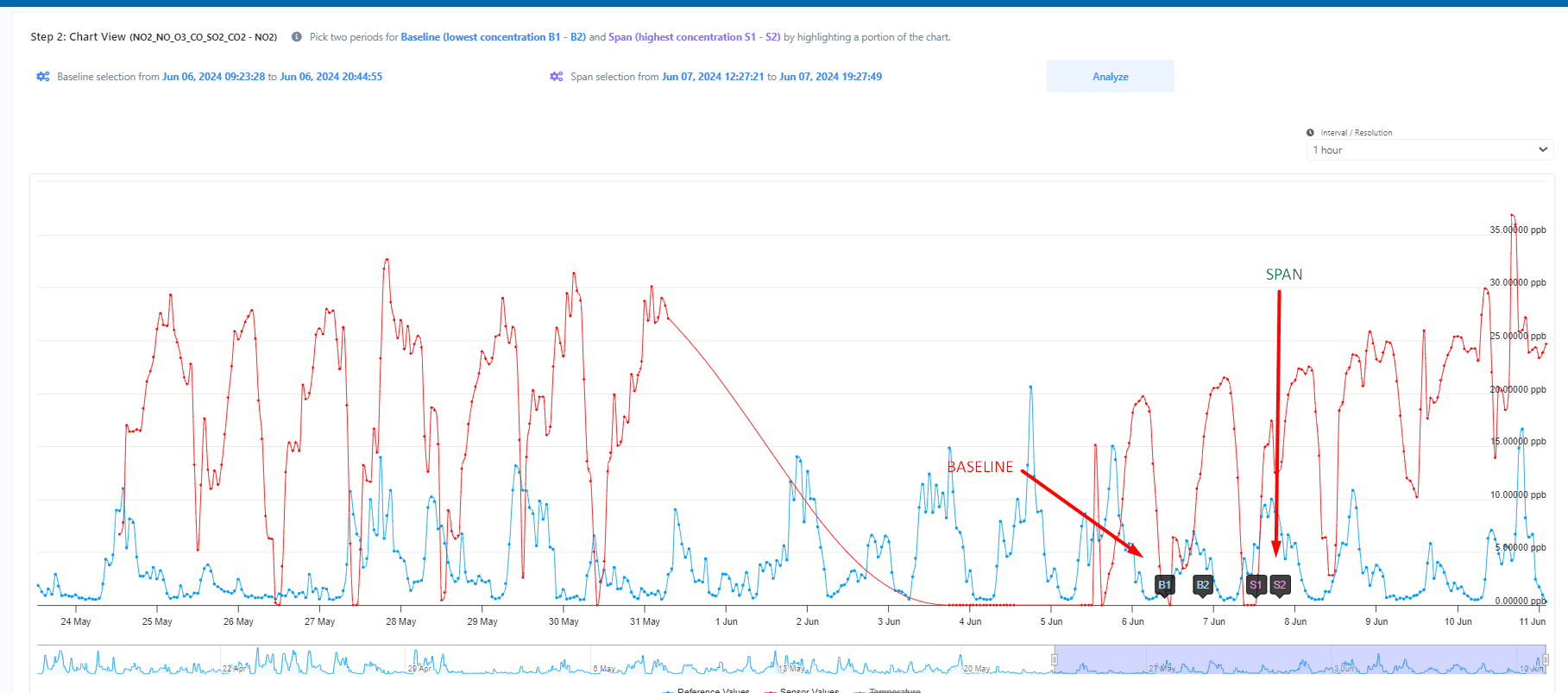
2. Pick span periods
Select two periods with the highest gas concentrations — S1 and S2. These define the span. Highlight on the chart as before.
3. Analyse
Click Analyse to compute the calibration.
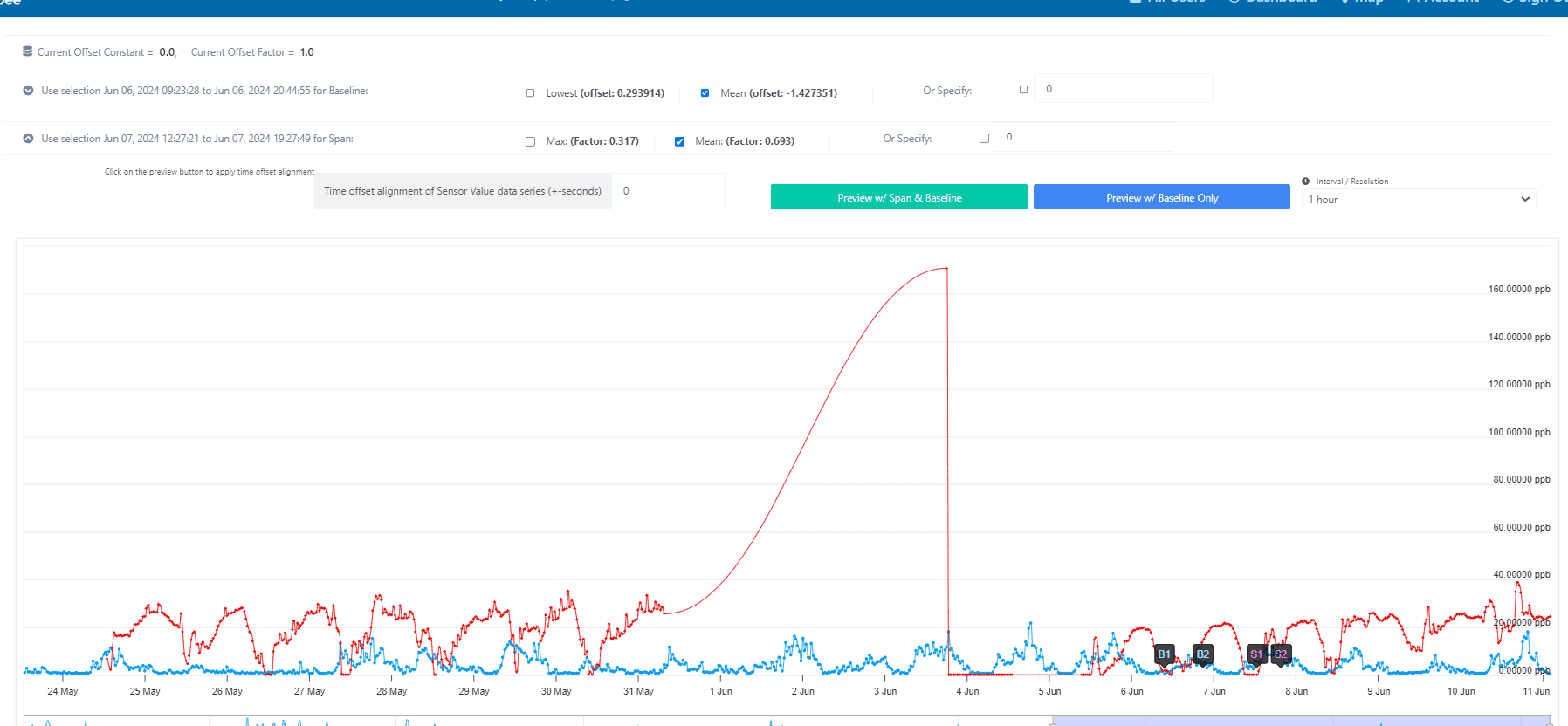
4. Preview offset and factor
Pick offset and factor values, and preview the result in either:
- Both span and baseline — the full calibration applied.
- Baseline only — just the offset, useful for sanity-checking the baseline alone.
5. Apply
Apply the calibration with one of:
- ·Apply Span Calibration — adjusts the full data range using both offset and factor.
- ·Apply Baseline Calibration — adjusts the average trend line only (offset alone).
This lets you fine-tune span and baseline independently if you want.

The applied calibration is recorded in the device's Calibration Logs.