
Push API
The Push API forwards every device payload to an HTTP endpoint of your choice as soon as it arrives in the Sensorbee Cloud. There's no polling on your side — Sensorbee POSTs the data the moment it's received. This is the right integration when you need real-time data: live dashboards, alerting, stream processing.
For on-demand queries (historical analysis, reports), use the REST API instead.
Configure a Push API
| Parameter | Required | Description |
|---|---|---|
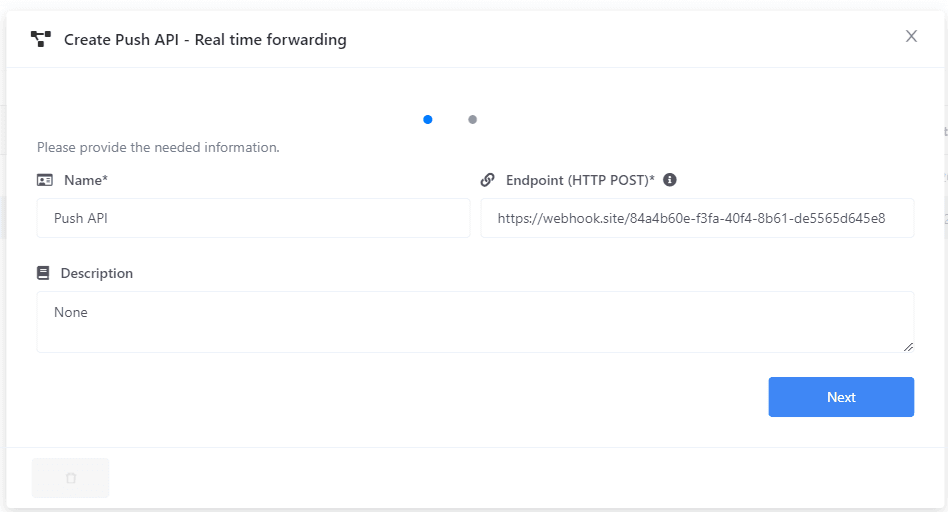
| Push API Name | Yes | A name to identify this integration (e.g. Station 1 Push API). |
| Endpoint URL | Yes | An HTTP POST endpoint that will receive the payloads. |
| Description | No | Free-text description. |
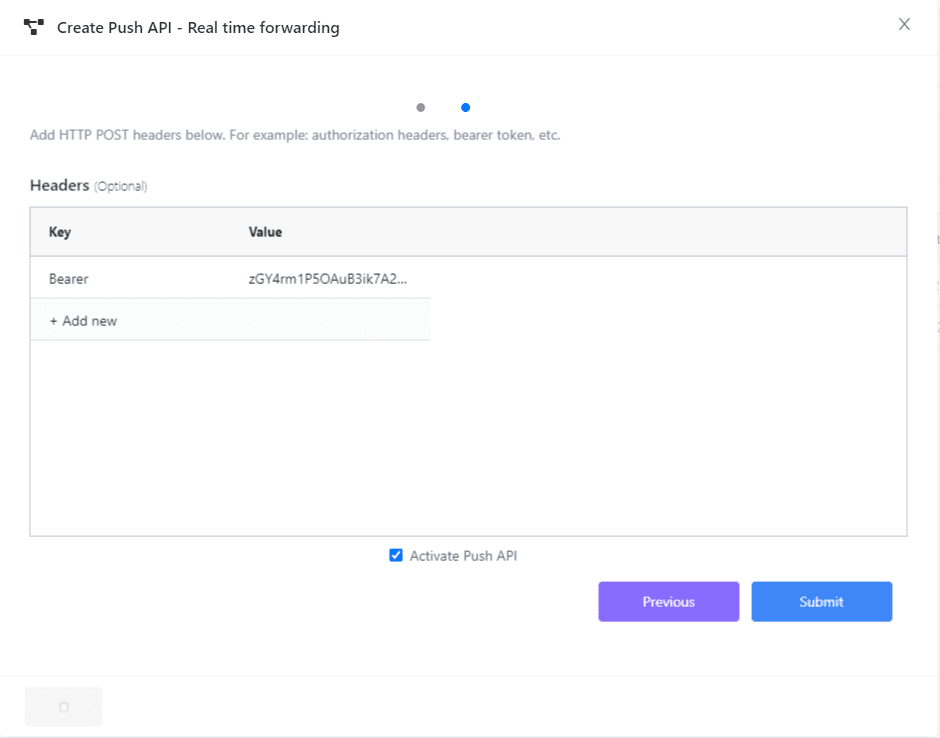
| Header Params | No | Key-value headers added to every POST — useful for apiKey, bearer tokens, etc. |
Assign to a device
After the Push API is created, assign it to a device on the device's Info tab. Once assigned, the device's payload is forwarded to your endpoint on every polling interval.
Payload format
Payloads use the Smart City Template — a fixed JSON schema covering installation metadata, GPS, all particulates and gases, weather, device health, and vibration. Only the fields for sensors fitted to the device are populated; the rest are blank.