
Info
The Info tab is where you see — and edit — the settings of a single device. It's divided into five sections, covered below.
Status
Registration status, last-seen time, and battery level.

Connectivity
Network information and signal strength.

Device Info
LwM2M identity for the unit: endpoint name, server identity, security mode, serial, registration date, and related metadata.
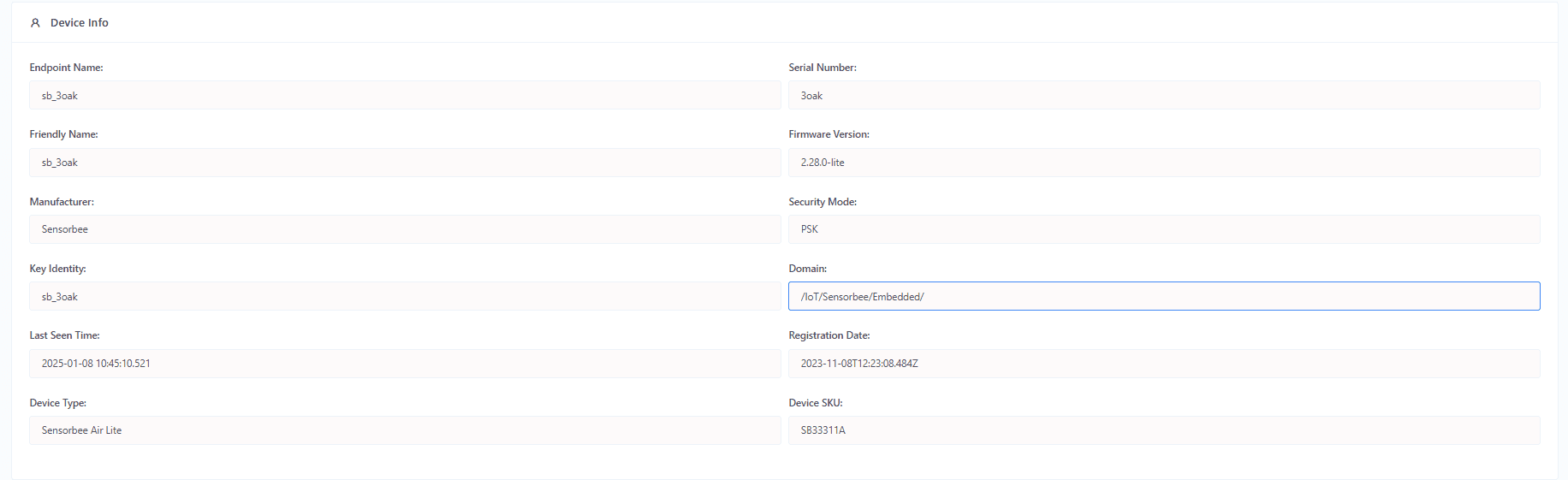
Integration
Assign a Push API integration to the device. Once assigned, every sensor-value payload the device reports is also forwarded to your Push API endpoint. See Push API for how to configure one.

Device Settings
Per-device settings. Some are editable from the portal; others are read-only.
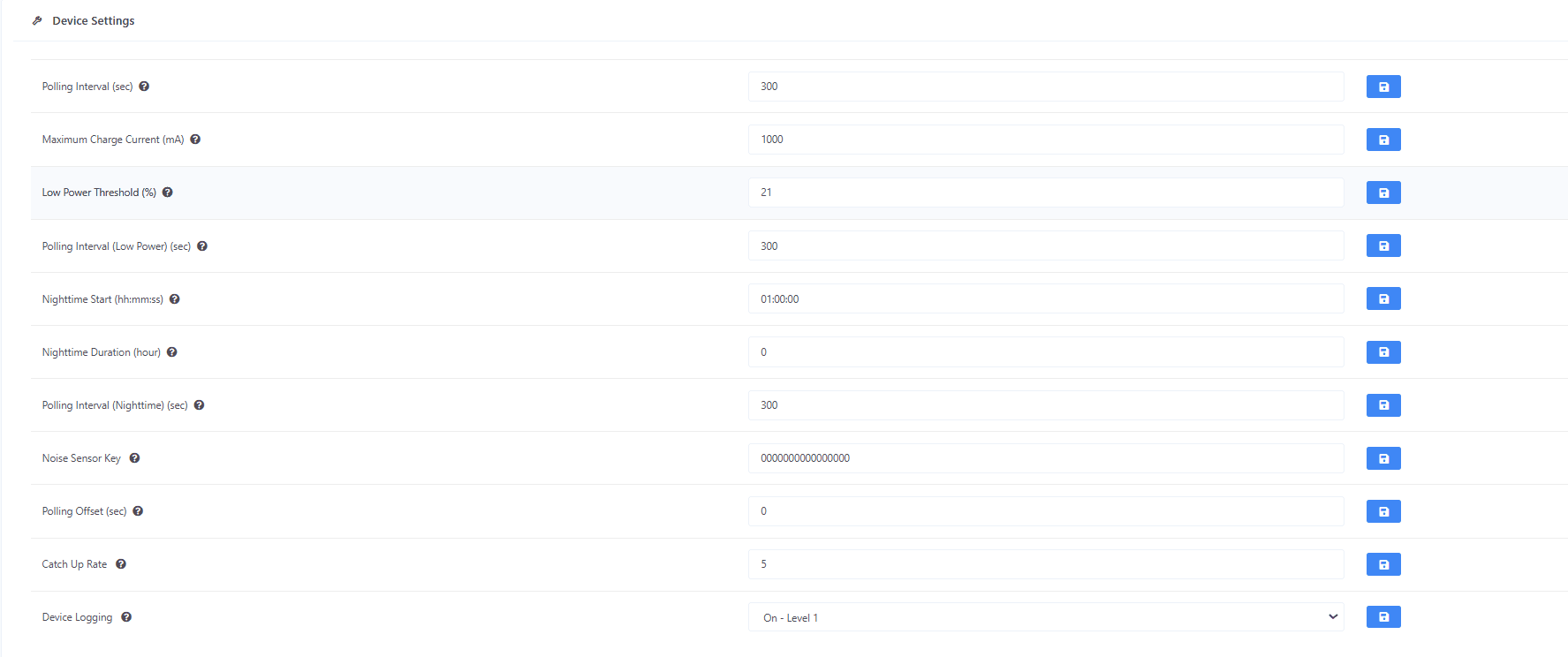
Available settings
| Setting | Description |
|---|---|
| Low Power Threshold | Battery level (%) that triggers the unit's low-power mode. |
| Maximum Charge Current | Upper limit for charging current. |
| Nighttime Duration (hour) | Length of the "nighttime" period in hours. |
| Nighttime Start (hh:mm:ss) | Scheduled start of nighttime (UTC). Set to 0 to disable. |
| Polling Interval (sec) | How often the device reports sensor values, in seconds. |
| Polling Interval — Low Power (sec) | Polling interval while in low-power mode. |
| Polling Interval — Nighttime (sec) | Polling interval during the nighttime window. |
| Noise Sensor Key | Unique identifier for a noise sensor within the account — used to distinguish readings from multiple noise sensors across sites. |
| Polling Offset | Time delay applied to the polling schedule so multiple devices don't all report at the same instant — reduces network bursts. |
| Catch Up Rate | Rate at which the unit catches up on buffered readings after a reconnect. Prevents the back-fill from overwhelming the server. |
| Device Logging | Enables detailed operational logging (sensor reads, status updates, errors, diagnostics). |
Changes don't take effect immediately. The server waits for the next report cycle before pushing the new value to the device. Until it's applied, a "Found pending change" note is shown under the field.
