
Devices
Cette page n'est pas encore disponible en français. La version anglaise est affichée.
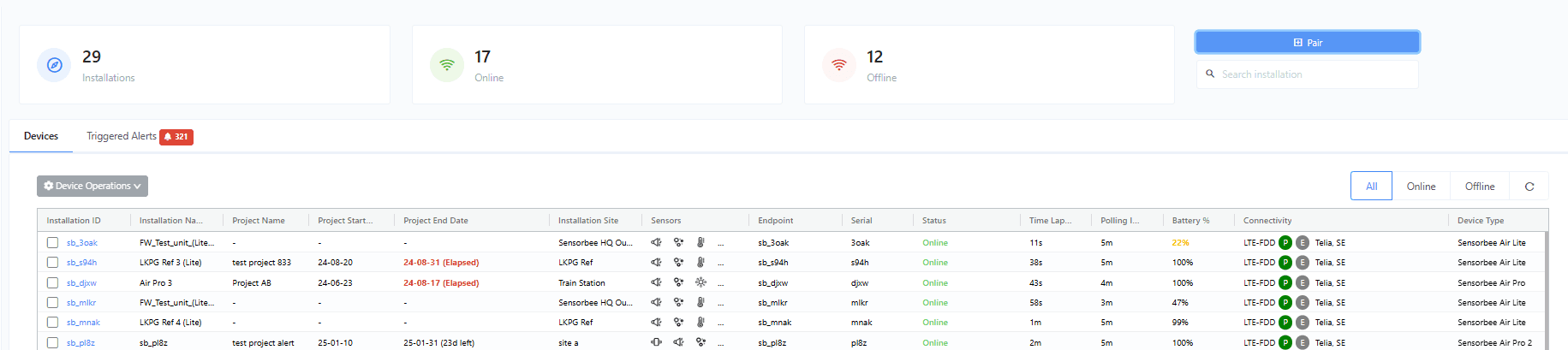
The Devices tab lists every unit registered to your account. Each row shows the installation ID, base-unit serial, status, battery, signal strength, and other at-a-glance monitoring parameters. Counts of online and offline units sit at the top.
Pair a new device
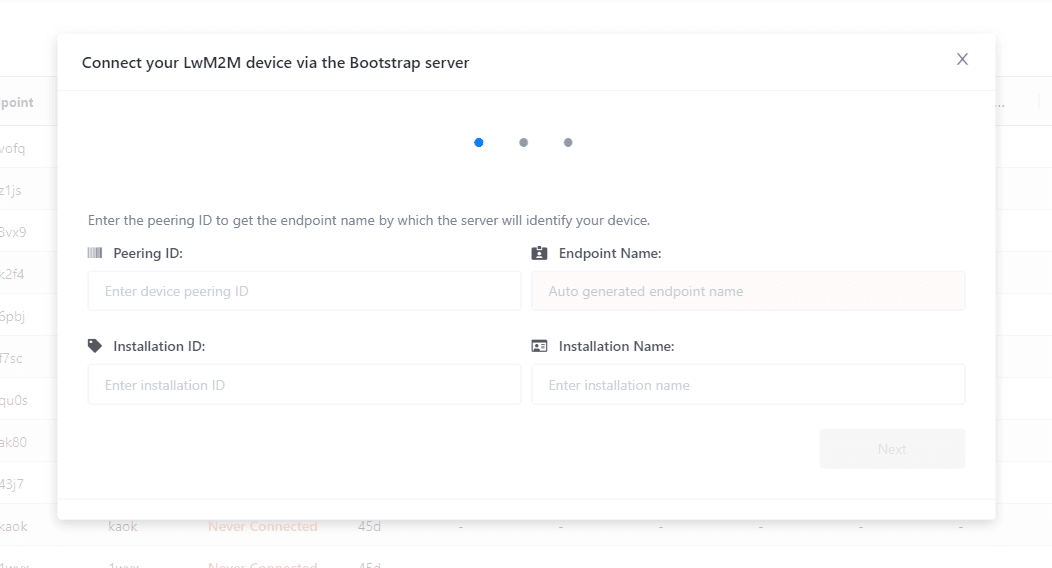
Click Pair in the top-right to open the bootstrap modal. See Sensorbee Air Pairing Process for end-to-end pairing details.
Search
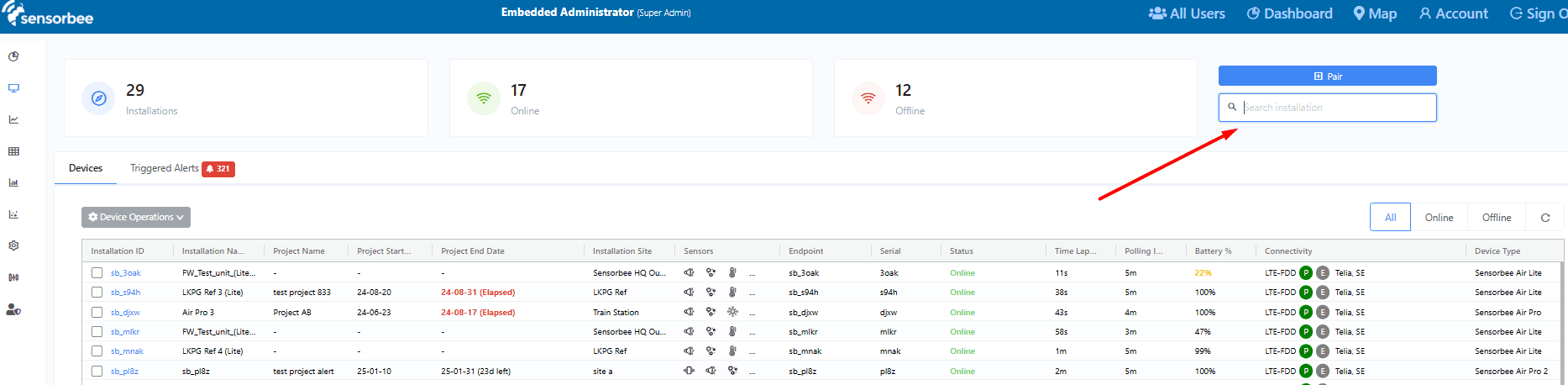
The search box below the Pair button matches against Installation ID, Installation Name, Endpoint, and Serial.
Filter by status
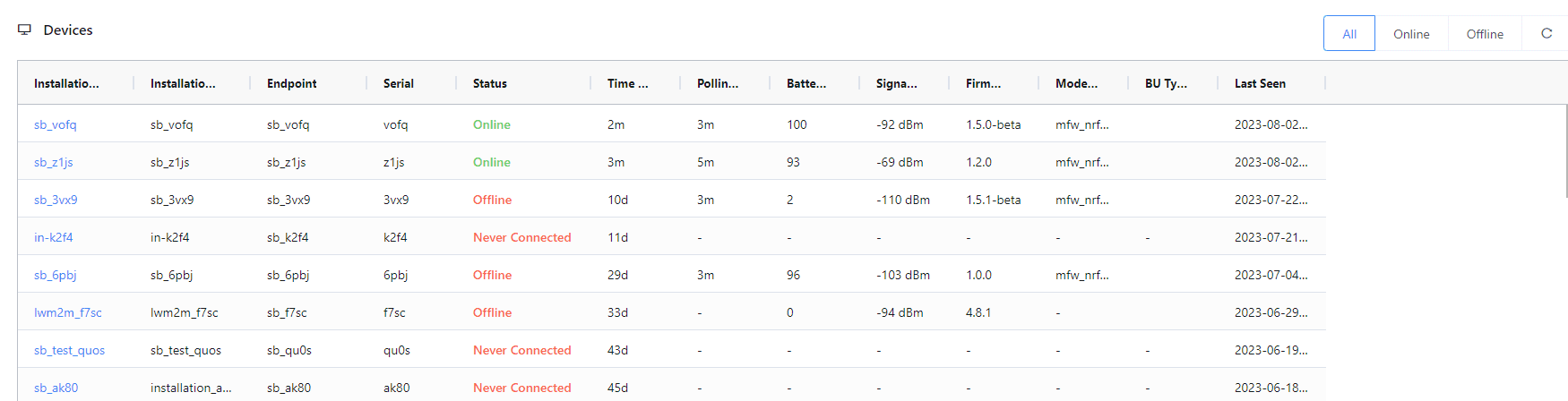
Quick filters in the top-right of the grid switch between All, Online, and Offline.

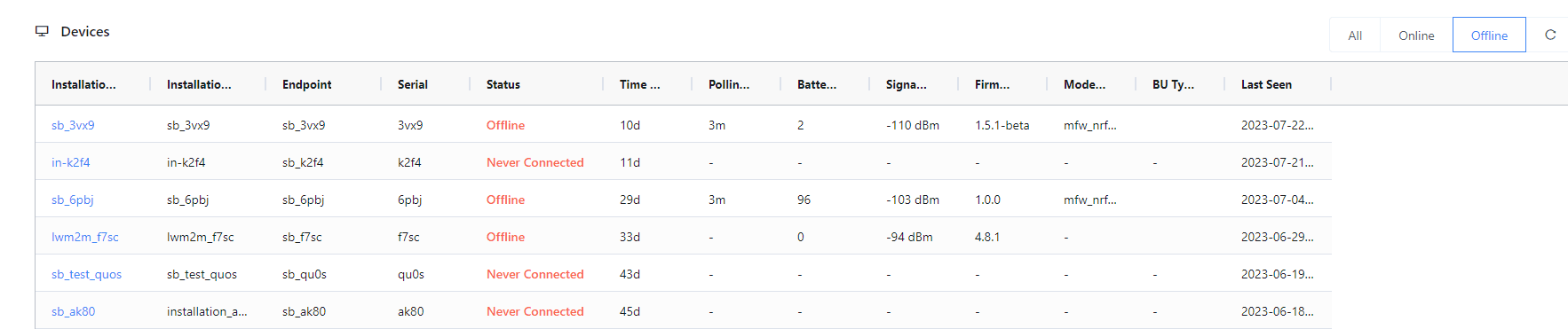
Device statuses
- ·Online — the unit is actively communicating with the server.
- ·Offline — the unit has not communicated recently; it may be powered off, out of coverage, or in an error state.
- ·Never Connected — the unit has been bootstrapped but has not yet connected. This flips to Online the first time the unit boots after pairing.
Last received
Alongside its live online/offline indicator, each connected sensor shows a last-received timestamp — the time its most recent reading arrived. This lets you confirm data is flowing across a whole installation at a glance, without opening graphs: the quickest way to check every sensor is reporting before a compliance deadline, or to spot a silent sensor before it becomes a data gap. The same indicators and timestamps appear in the mobile view.