
Replace Particle Module
The particle sensor module (SB4102) in a Sensorbee Air Pro 2 can be replaced in the field in a few minutes. Use this procedure when Sensorbee Support has confirmed that the module must be replaced, or when a scheduled module swap is due.
This page follows the Sensorbee service instruction Exchanging the Envirosense and Particle Sensor Modules (Rev. 1). Download the PDF guide for a printable version with photos.
Before you start
You will need the following.
- ·The new particle sensor module, still in its packaging
- ·A Torx T10 screwdriver for the 8 enclosure screws and the 4 sensor screws
- ·The unit's serial number, to quote when contacting Sensorbee afterwards
Turn the device off before you start and keep it off during the whole exchange. Never unplug or plug in a module while the device is on.
Work in a dry place — do not open the unit in rain or high humidity. Hold the module by its edges and do not touch the sensor inlets. Keep the old module: it may need to be returned to Sensorbee.
Both the enclosure and the particle sensor use stainless Torx T10 screws in plastic. Read Screw handling before opening the unit — the plastic thread strips before the screw breaks.
1. Turn off the device
Keep it off during the whole exchange.
2. Open the enclosure
Remove the 8 enclosure screws with the Torx T10 screwdriver.
3. Locate the particle sensor
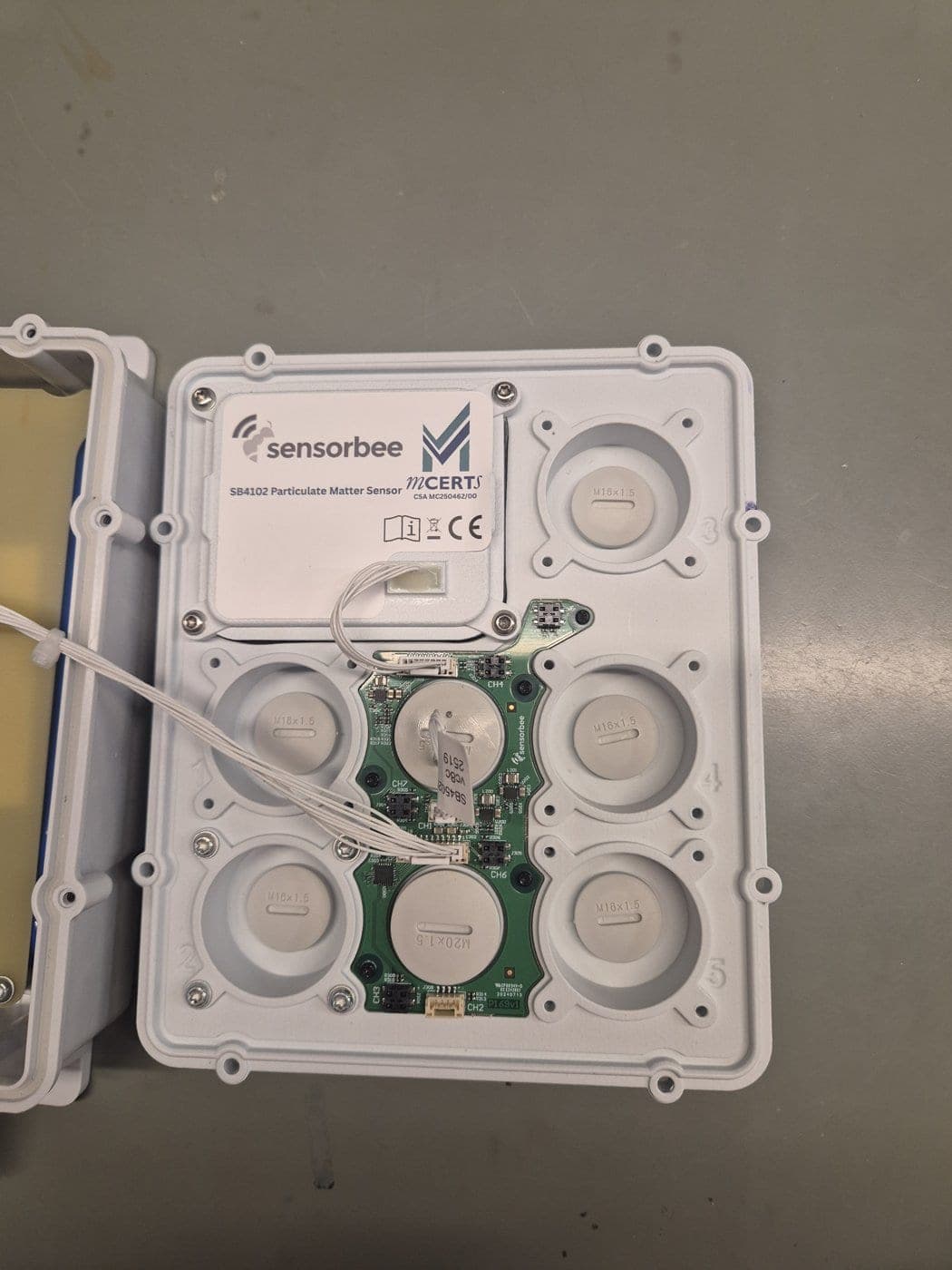
The particle sensor (SB4102) sits in the lid of the Air Pro 2. Note its position and orientation before removing it — the new sensor goes in the same way.
4. Unplug the particle sensor cable
Unplug the particle sensor cable from the board.
5. Remove the sensor screws
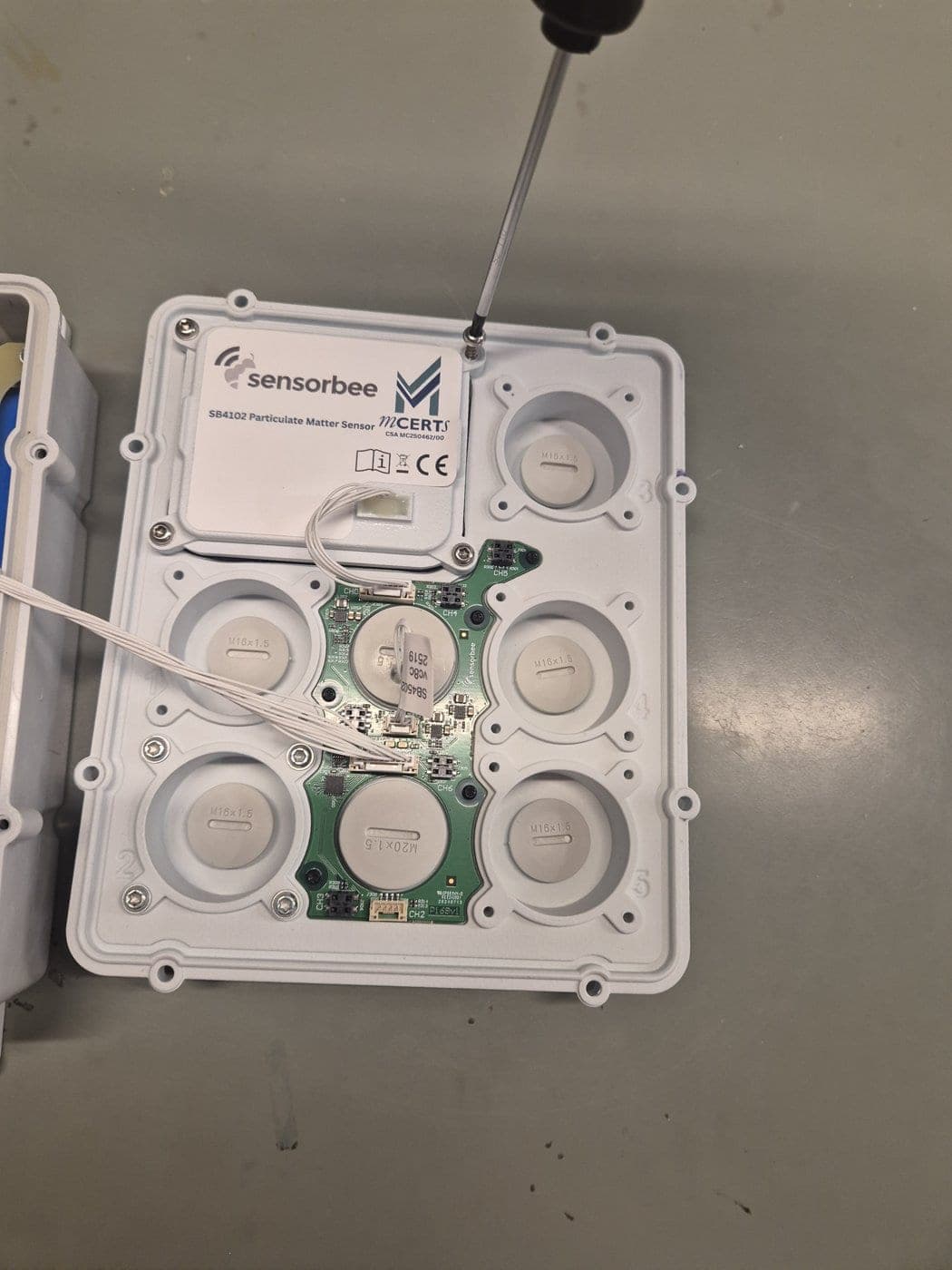
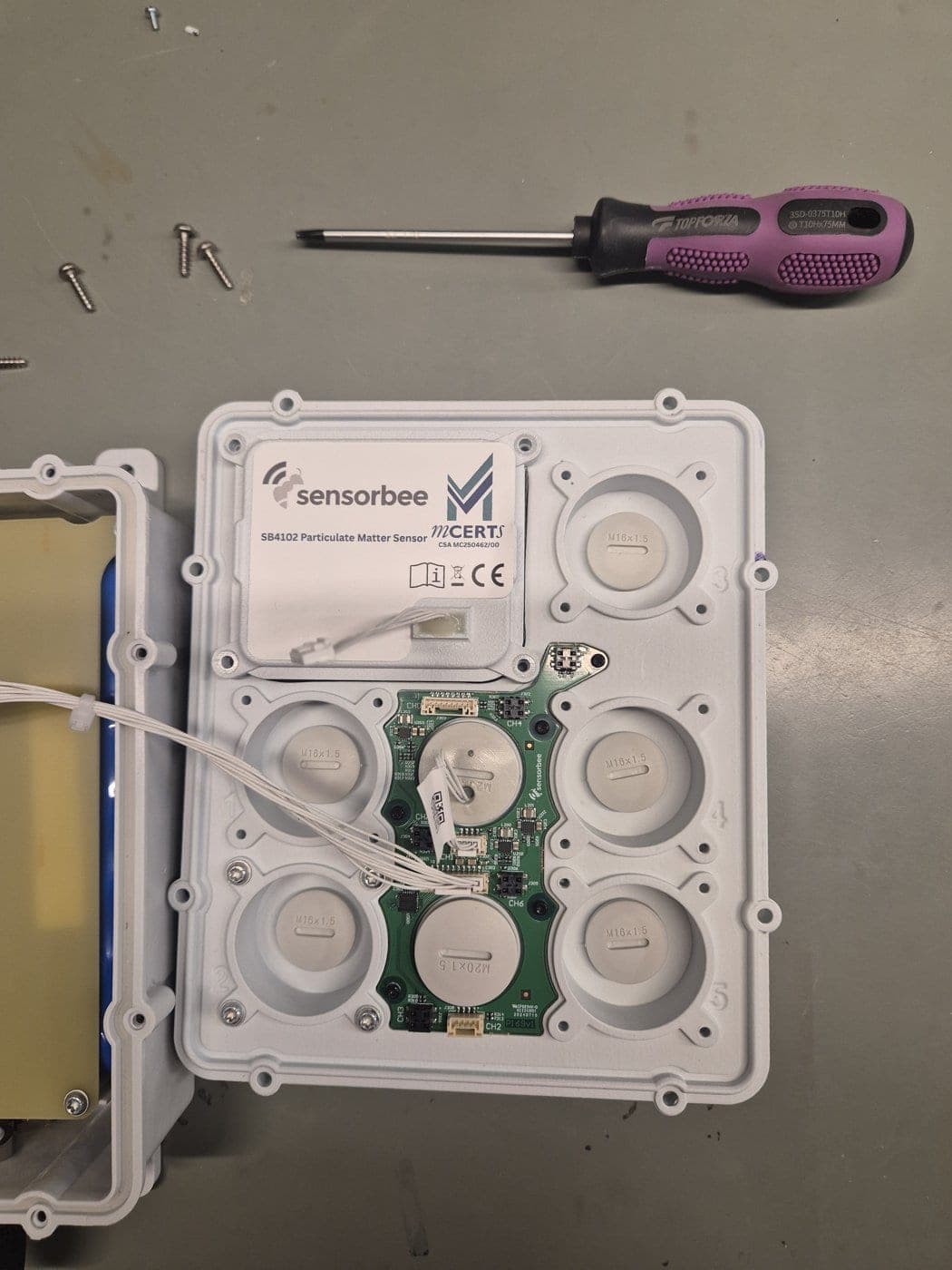
Unscrew the 4 screws holding the sensor, using the T10 screwdriver.
6. Remove the old sensor
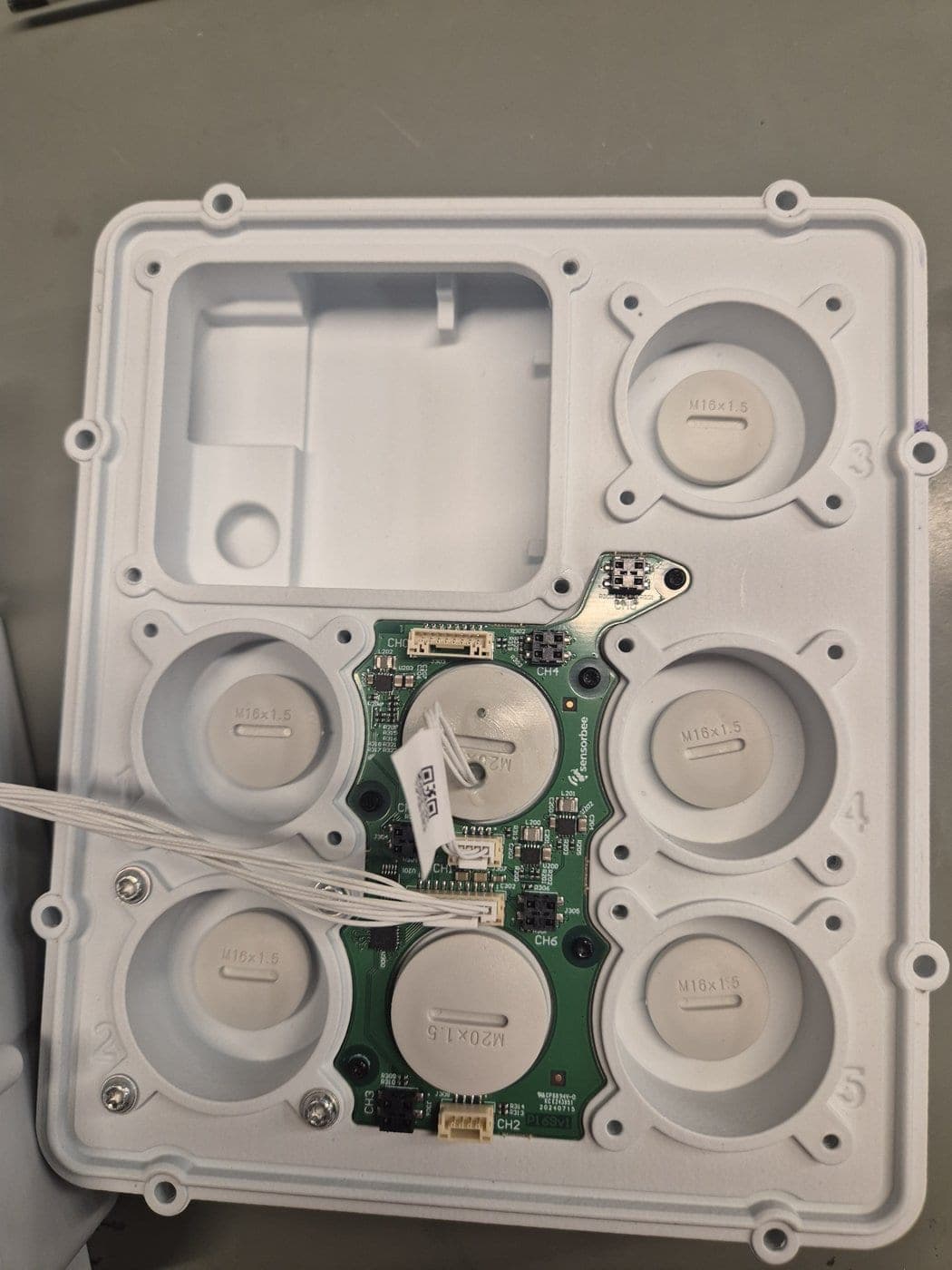
Remove the old sensor from the lid.
7. Fit the new sensor
Take the new sensor and place it in the lid, in the same position and orientation as the old one (see the photo in step 3).
8. Fasten the sensor screws
Fasten the 4 screws with the T10 screwdriver. First turn each screw anticlockwise by hand until it drops into the existing thread, then tighten to 0.4–0.6 Nm. Do not overtighten.
9. Reconnect the cable
Plug in the particle sensor cable.
10. Close the enclosure
Close the Air Pro 2 and fasten the 8 enclosure screws with the T10 screwdriver.
11. Restart the device
Power the unit back on.
12. Verify connectivity
Check in the platform that the device is online and that data from the new particle sensor is arriving. Then contact Sensorbee to exchange the old module, quoting the unit's serial number.