
Triggered Alerts
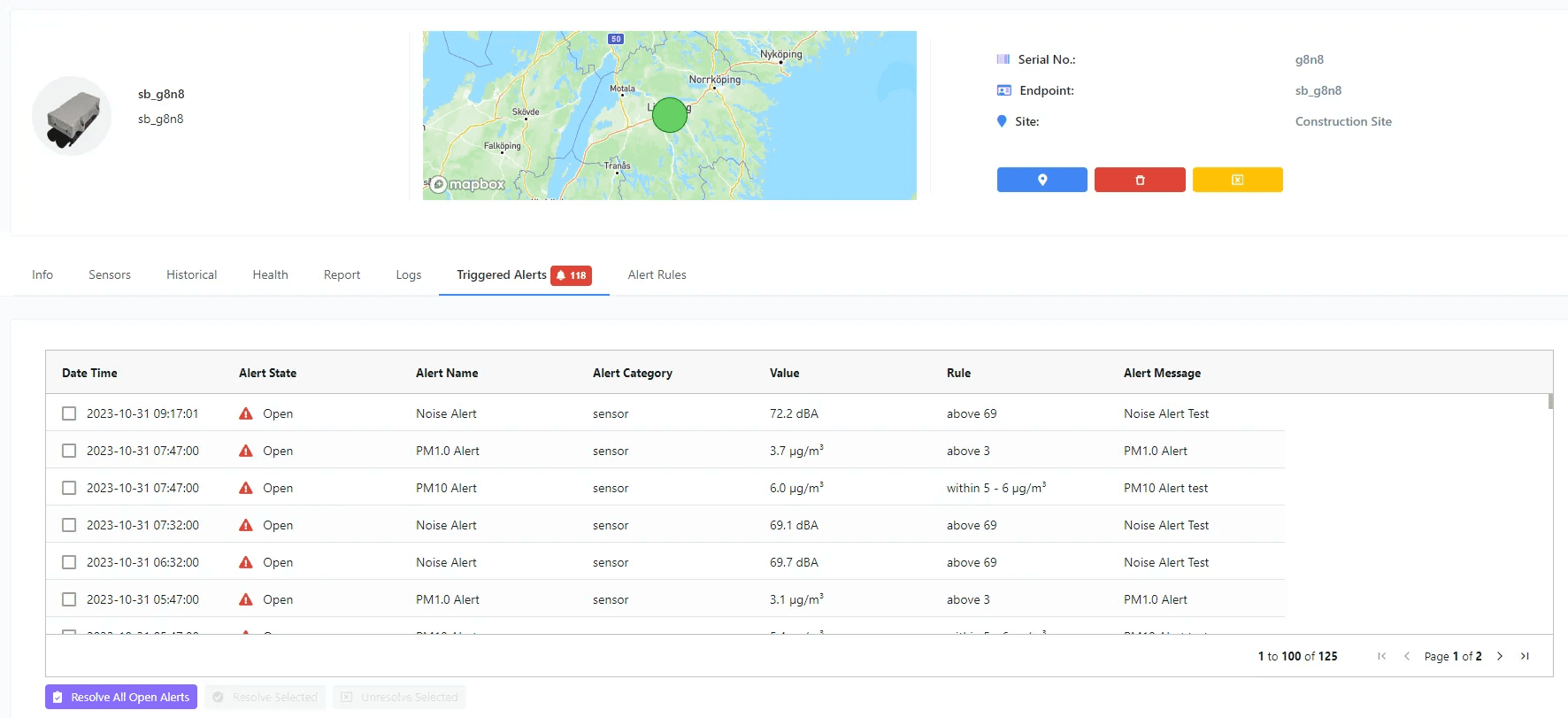
The Triggered Alerts tab is the audit log of every alert the device has fired. It shows which rule matched, which sensor value caused the trigger, and the alert message that was sent. You can resolve alerts here to take them off the dashboard view.
Columns
| Column | Meaning |
|---|---|
| Date Time | When the alert was triggered. |
| Alert State | Resolved or unresolved. |
| Alert Name | Name of the rule that was triggered. |
| Alert Category | Sensor Alert or Health Alert. |
| Value | Sensor reading that caused the trigger. |
| Rule | The criteria defined on the alert. |
| Alert Message | Message text — also sent to the user by email or SMS. |
Actions
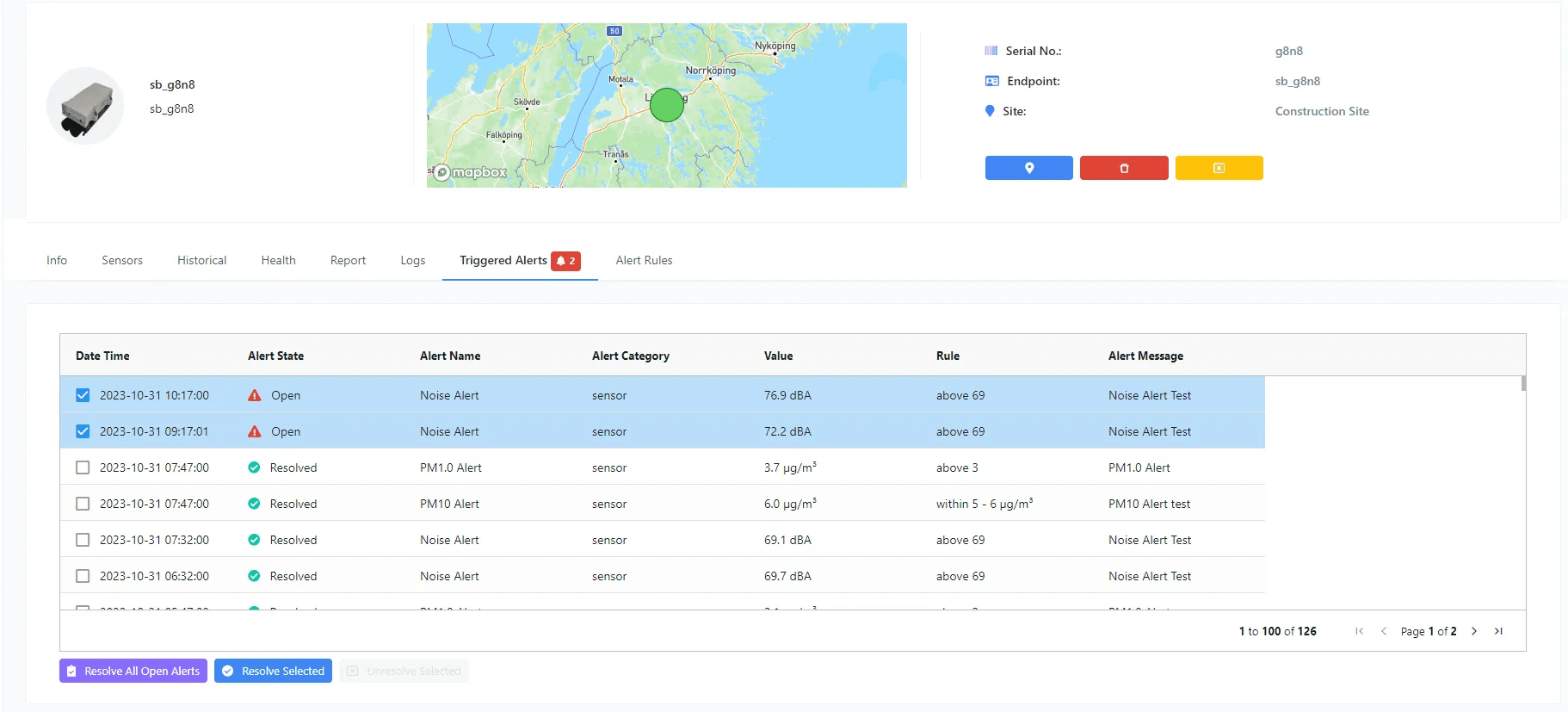
- ·Resolve All Open Alerts — resolve every unresolved alert on the device in one click.
- ·Resolve Selected — resolve only the alerts you've ticked.
- ·Unresolve Selected — re-open previously resolved alerts (e.g. if they were marked resolved prematurely).
Elsewhere in the portal
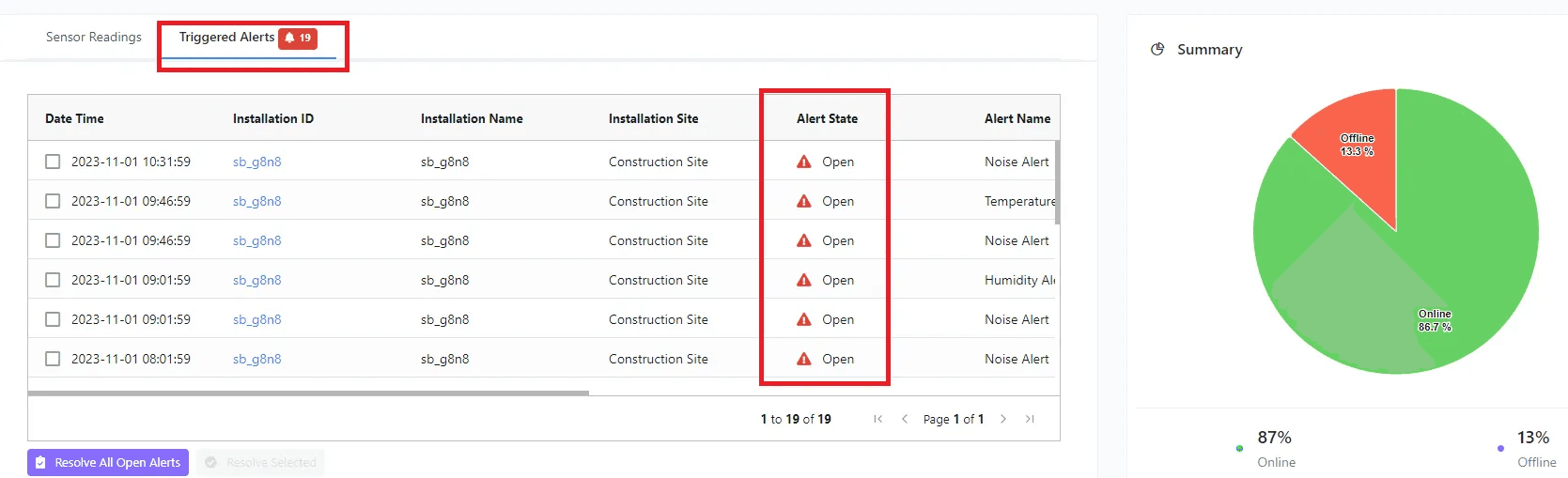
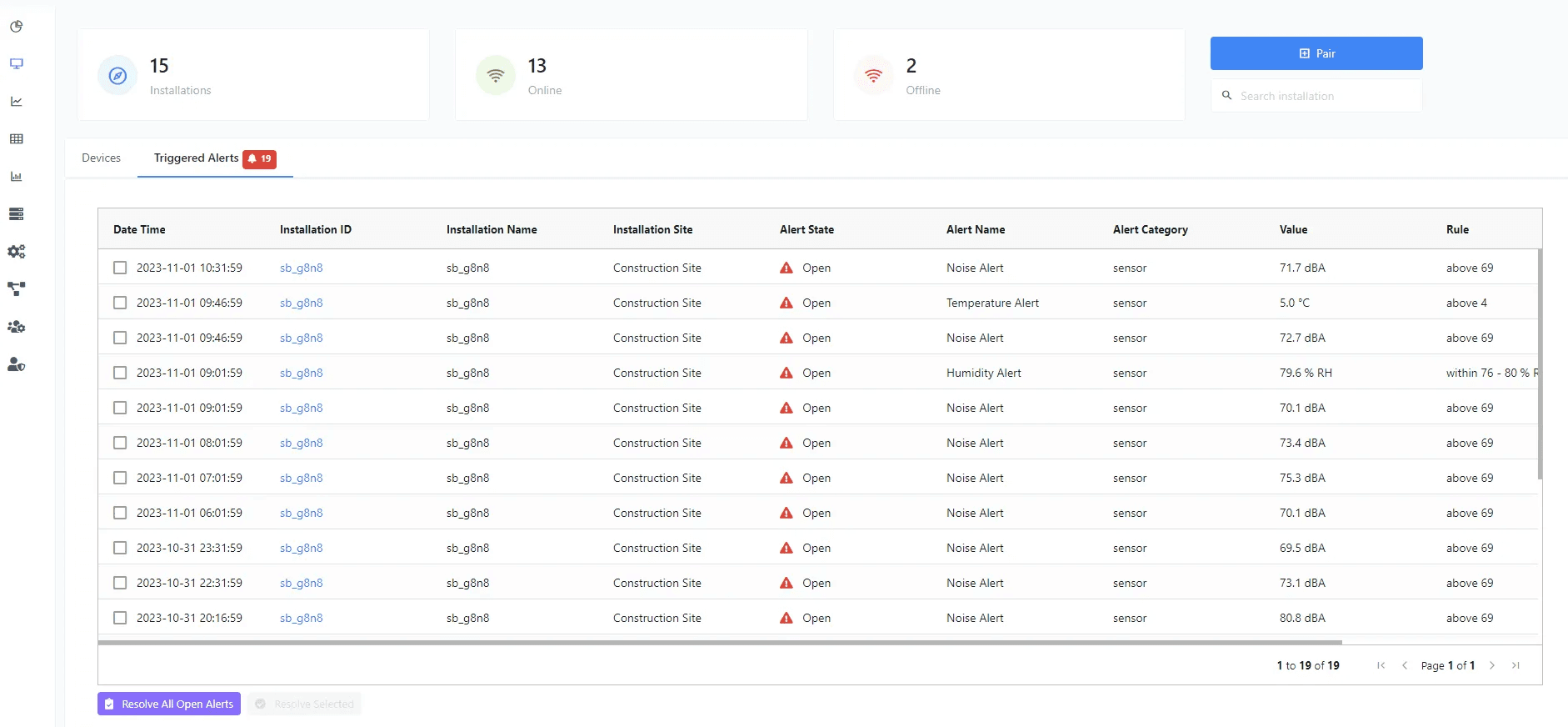
Unresolved alerts are also surfaced on the Dashboard and the Devices list. You can resolve them from there too.
To create or edit rules, see Alert Rules.