
Devices
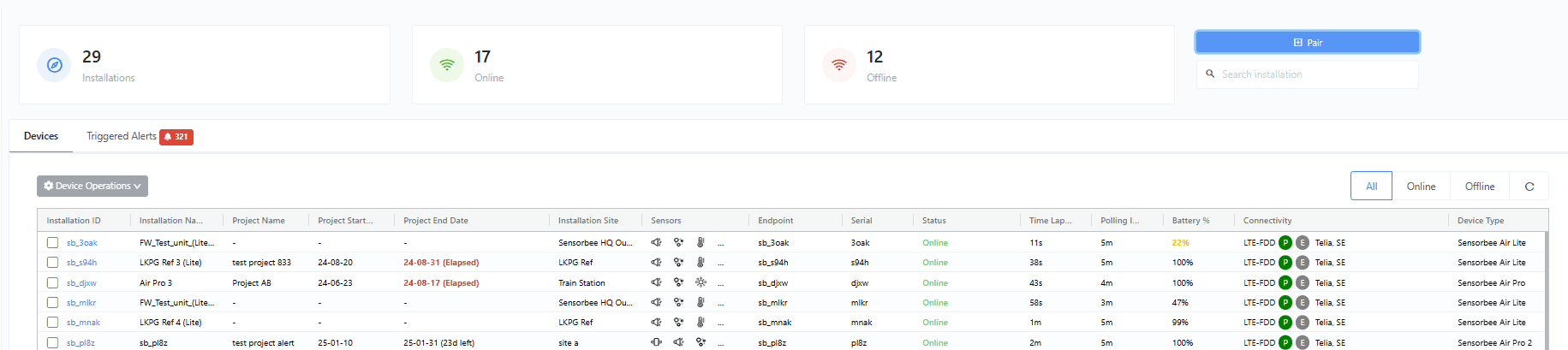
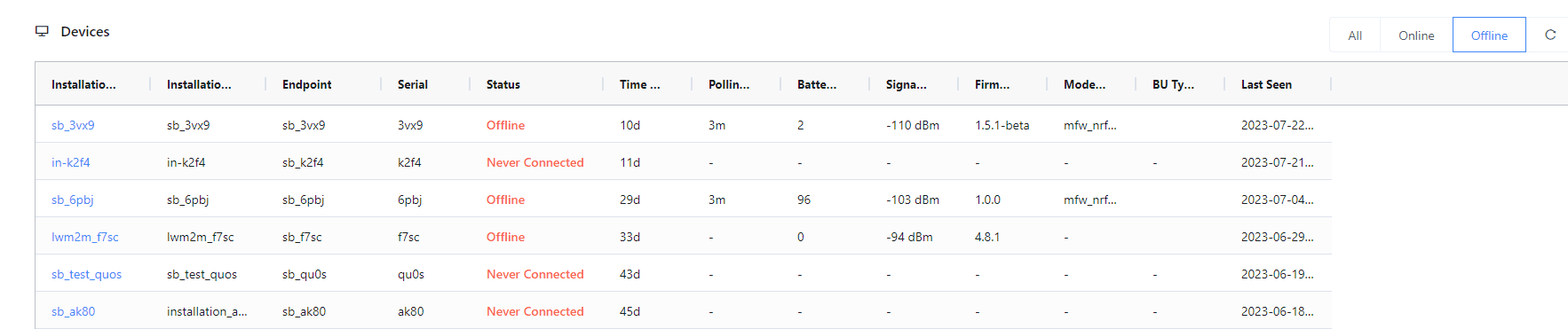
The Devices tab lists every unit registered to your account. Each row shows the installation ID, base-unit serial, status, battery, signal strength, and other at-a-glance monitoring parameters. Counts of online and offline units sit at the top.
Pair a new device
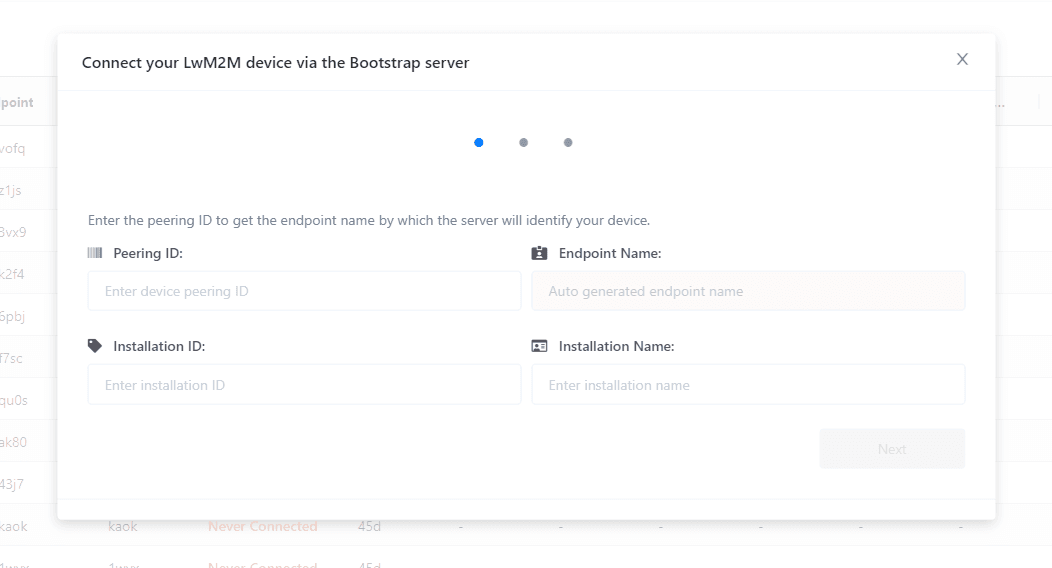
Click Pair in the top-right to open the bootstrap modal. See Sensorbee Air Pairing Process for end-to-end pairing details.
Search
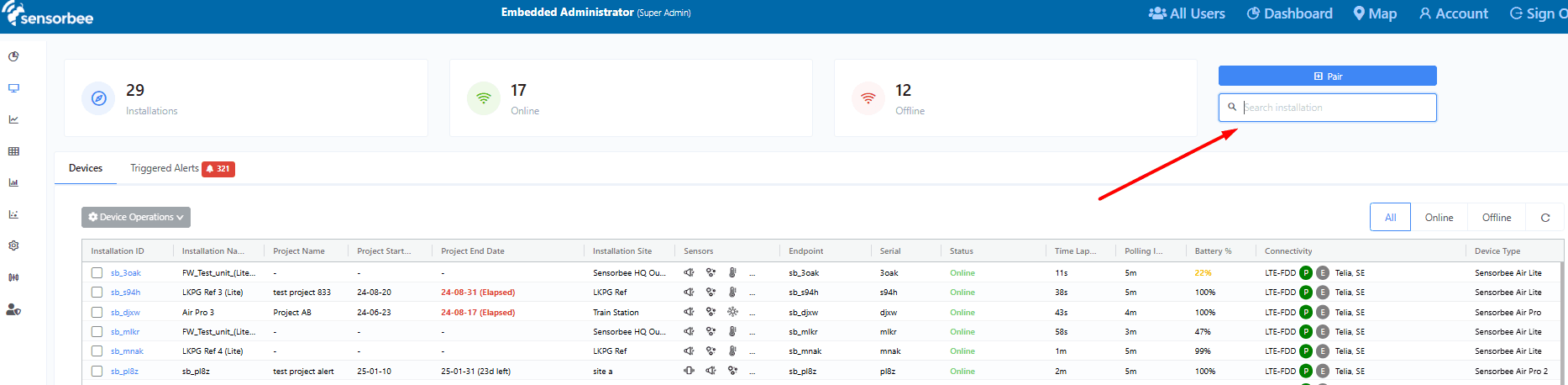
The search box below the Pair button matches against Installation ID, Installation Name, Endpoint, and Serial.
Filter by status
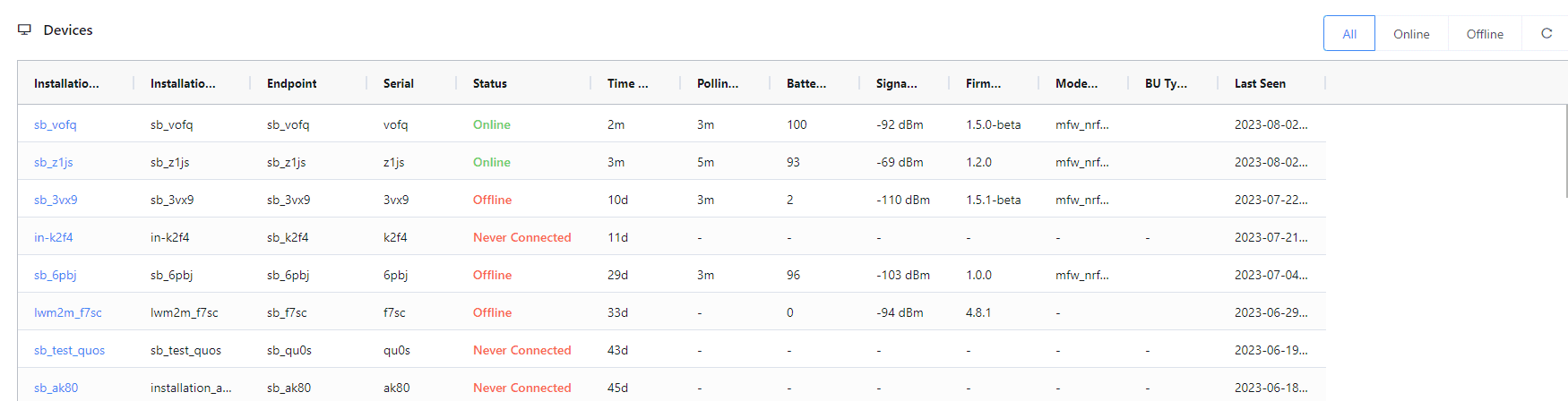
Quick filters in the top-right of the grid switch between All, Online, and Offline.

Device statuses
- ·Online — the unit is actively communicating with the server.
- ·Offline — the unit has not communicated recently; it may be powered off, out of coverage, or in an error state.
- ·Never Connected — the unit has been bootstrapped but has not yet connected. This flips to Online the first time the unit boots after pairing.
Last received
Alongside its live online/offline indicator, each connected sensor shows a last-received timestamp — the time its most recent reading arrived. This lets you confirm data is flowing across a whole installation at a glance, without opening graphs: the quickest way to check every sensor is reporting before a compliance deadline, or to spot a silent sensor before it becomes a data gap. The same indicators and timestamps appear in the mobile view.