
Polling Interval Menu
The polling interval determines how often the Air Pro 2 reports sensor values — i.e. how frequently the unit pushes a reading up to the Sensorbee Cloud (or your own LwM2M server). A shorter interval gives finer time resolution; a longer interval saves cellular data and battery.
Changing the polling interval
From the main menu, press 1 to open the polling interval menu.
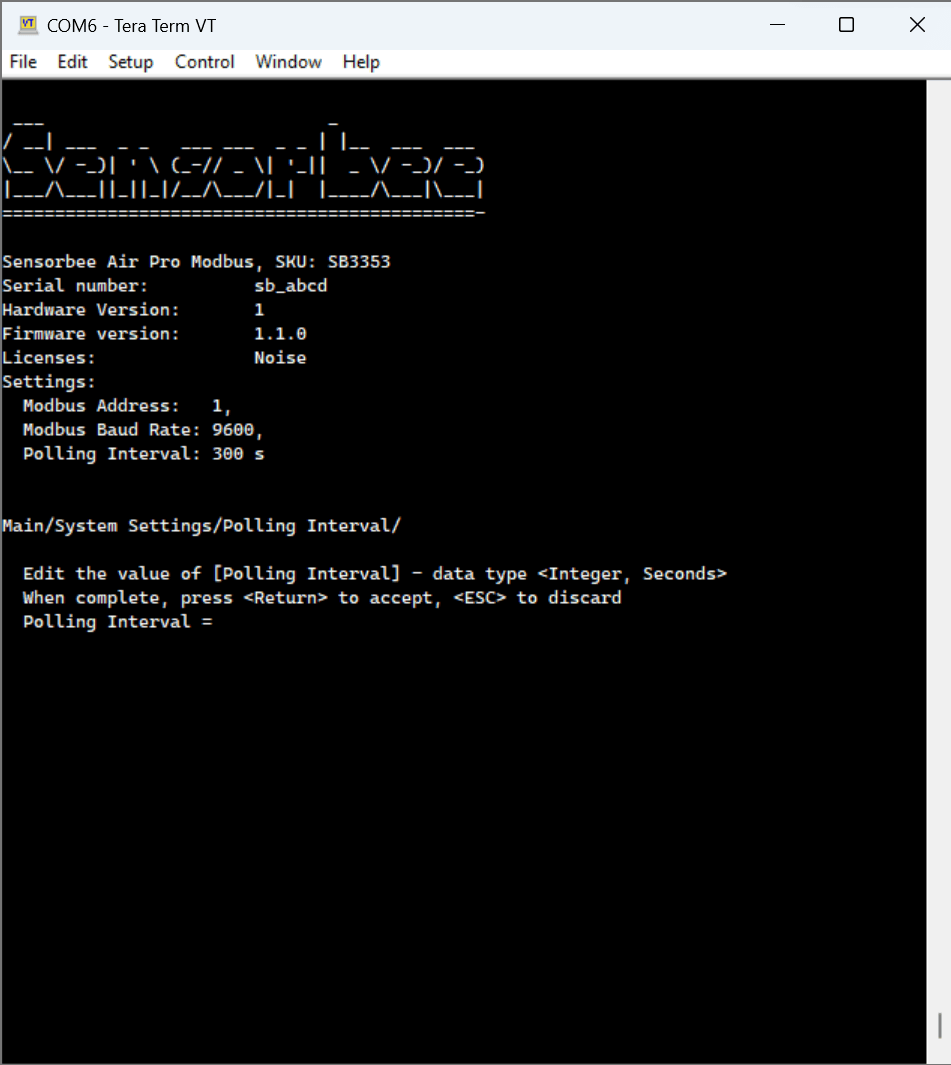
- Enter the desired polling interval in seconds.
- Press Enter to confirm.
Press Esc at any time to cancel without saving.
Notes
Polls are aligned to the UTC clock. With a 300-second interval, measurements land on HH:00, HH:05, HH:10 and so on, and each record's timestamp is the actual end of the poll. Every unit in a fleet therefore reports on the same slot regardless of when it was powered on. Requires base unit firmware 3.39.0 or later.Preheat times. Some sensors need longer preheat before they produce a stable value. After power-on it can take up to a minute for the unit to settle on a final effective polling duration.Invalid values are snapped to the nearest valid rate. The menu does not currently reject out-of-range values outright — instead the unit rounds to the nearest supported interval when saving.