
System Settings Menu
The system settings menu is where the Air Pro 2's Modbus RTU interface is configured. These are the factory defaults — the Modbus host (PLC, SCADA, or your desktop Modbus tester) must be configured to match.
Factory defaults
| Parameter | Value |
|---|---|
| Type | Modbus RTU Slave |
| Insulation | Insulated or non-insulated (per order) |
| Baud rate | 9600 bit/s |
| Data bits | 8 |
| Parity | None |
| Stop bits | 2 |
| Modbus address | 1 (0x1) |
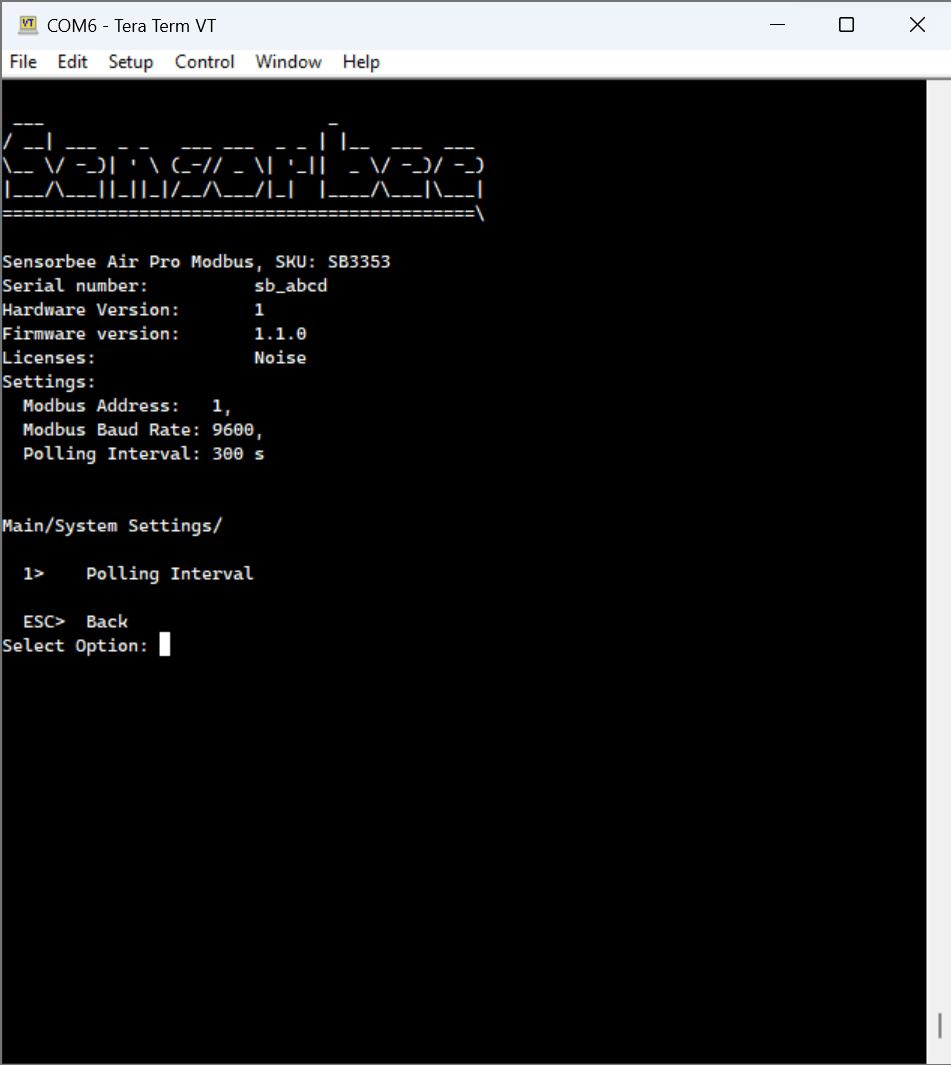
Changing values
The system settings menu surfaces the following controls.
- ·Polling interval — how often the unit reports. See the polling interval menu.
- ·Modbus client serial settings (option 5) — baud rate, parity and stop bits for the sensor-facing Modbus bus, i.e. the bus the Air Pro 2 uses to poll its own external Modbus sensors. This is not the host-facing Modbus RTU slave interface described above. Changes take effect after a restart.
- ·External sensor supply voltage — selectable 5 V or 12 V for externally powered sensors.
The host-facing Modbus address, baud rate and device name live in the Modbus settings menu.
Modbus client serial settings and the external sensor supply voltage selection require base unit firmware 3.39.0 or later.
Parity / stop-bit constraint. If parity is set to None, stop bits must be 2. If parity is Even or Odd, stop bits must be 1. The firmware enforces this because the Modbus specification (2.5.1) requires it.