
Deployment
Deployment is the final stage of the quick-start. Before you commit to a site, complete Check before deployment to verify the unit powers up, the sensors report, and the cloud pairing is intact.
Choosing a location
Location depends on what the data is for — urban background, traffic-side monitoring, boundary compliance for a construction site, etc. Irrespective of application, the following applies to all deployments:
- ·Keep the unit away from local pollution sources that would skew readings — chimneys, flues, air-conditioning exhausts, idling vehicles.
- ·Mount between 3 and 4 metres high for most use cases.
- ·Solar-powered units need clear sky access. Keep buildings, trees, and other obstructions at a safe distance so the panel gets direct sunlight. In high-latitude deployments (northern UK, Scandinavia) where winter sun is weak, prefer an external power supply.
- ·Shield from direct sunlight where possible. Direct sun on the unit itself — not the solar panel — increases internal temperature and affects sensor readings.
The sensor inlet must face downward when the unit is installed. Different mounts are supported (mast, wall); pick whichever fits the site.
It's usually easier to connect the external cables to the unit before clipping it onto its bracket. With power connected, the status LED should light up per the sequence in Startup, confirming the unit has booted and reached the server.
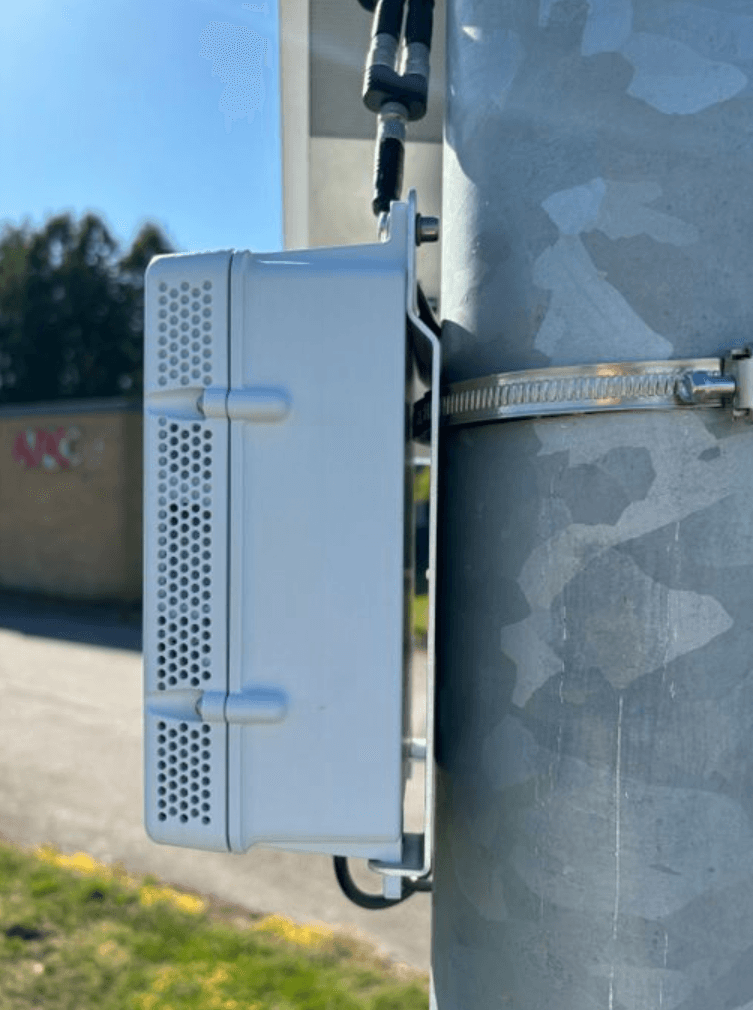
Mast installation
Attach the mounting bracket to the mast with the stainless steel hose clamps supplied with the unit. Clip the Air Pro 2 onto the bracket and connect the external cables.
Wall installation
Fix the mounting bracket to the wall with four screws appropriate for the wall material. Clip the unit onto the bracket and connect the external cables. Power the unit from either the solar panel or a wall adapter.
The unit is now deployed and sending sensor data to the server.