Project Management
Project Management lets administrators scope a set of users and devices to a defined time window — a project. Project users only see the devices, sensors, and data that fall within their assigned project(s) and dates.
This is the right tool for environmental consultancies running multiple parallel client engagements, or for any deployment where you need users to see only their slice of the account.
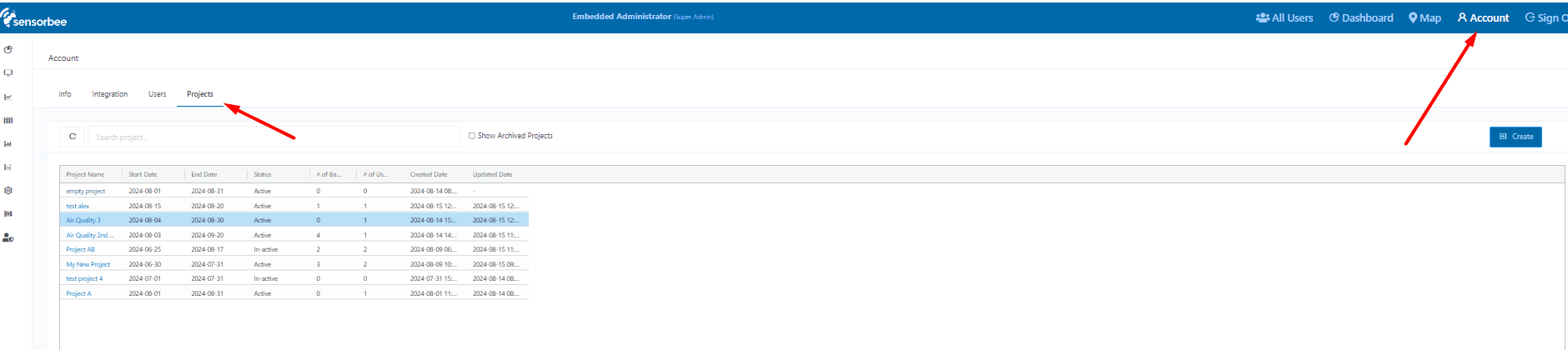
The Project tab lives inside the /account page.
Creating a project
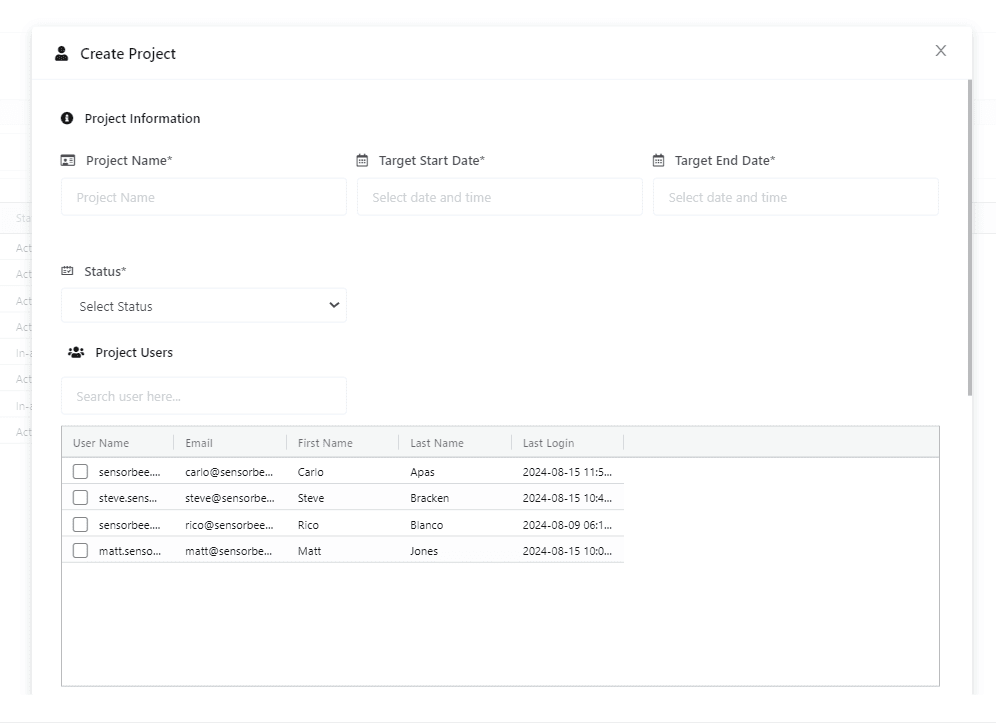
Only administrators can create projects.
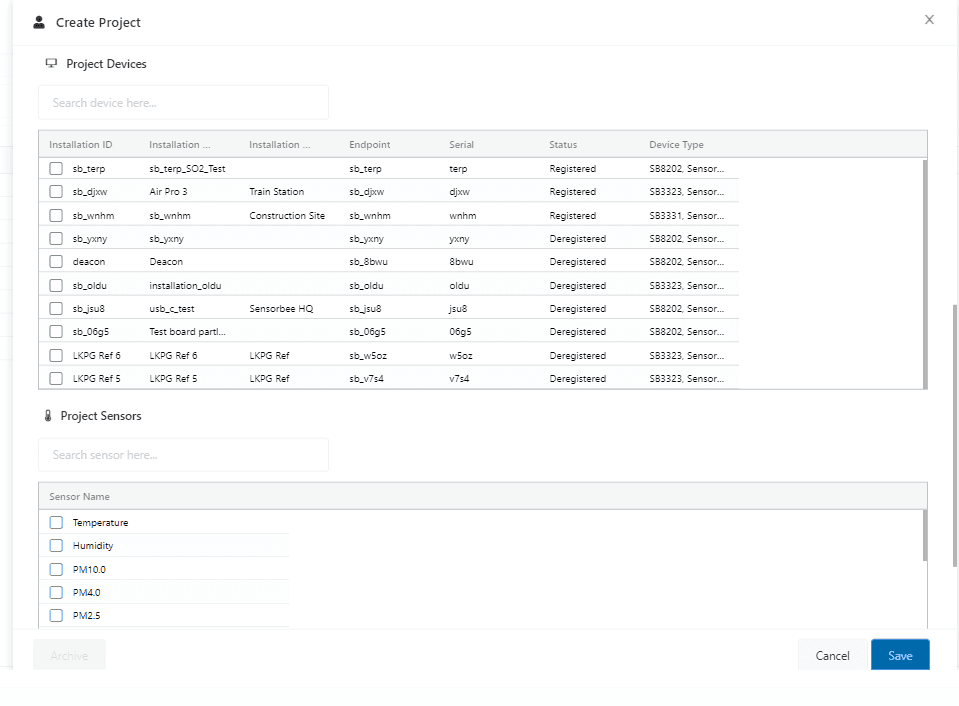
A project bundles:
- ·One or more project users (users with the Project User role).
- ·One or more base units.
- ·One or more sensors.
- ·A start date and an end date.
Managing projects
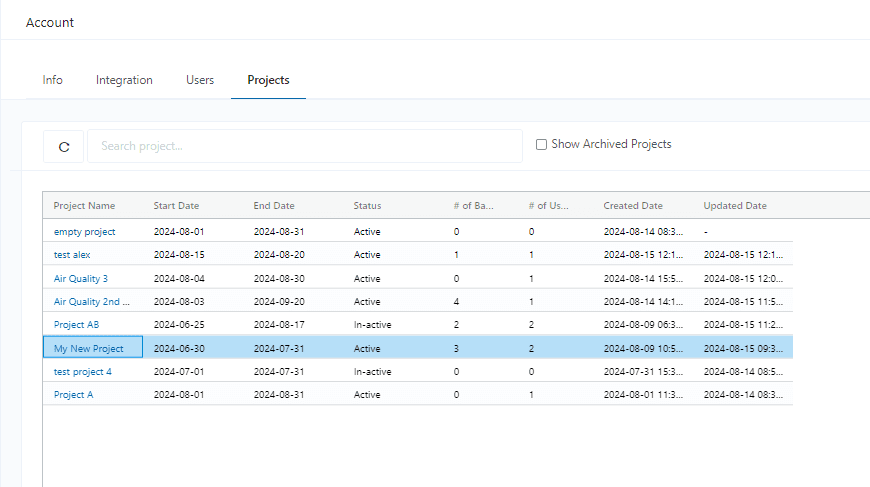
The Project Management dashboard lists every project. From here you can view existing projects, edit their details, and archive completed ones.
Project User access
A Project User can:
- ·See only the base units and sensors assigned to their project(s).
- ·See only data from within the project's start and end dates.
The restriction applies everywhere — historical graphs, sensor values, health graphs, reports, logs — not just one tab.
The Project User role
The Project User role is a dedicated user type, distinct from regular users, administrators, and super-admins. It's specifically designed for project-scoped access.
Capabilities
- ·Multi-project — a Project User can be assigned to multiple projects simultaneously, each granting access to a distinct set of resources.
- ·Assigned base units — only the base units explicitly added to the project are visible.
- ·Assigned sensors — only sensors on those base units are accessible.
- ·Time-bound — data is restricted to the project's start–end window, even if the sensor has values outside that window.
Restrictions
- ·Cannot see anything outside their assigned projects.
- ·Cannot create, modify, or archive projects — that's admin-only.
- ·Cannot be combined with administrative privileges.
Base unit assignment rules
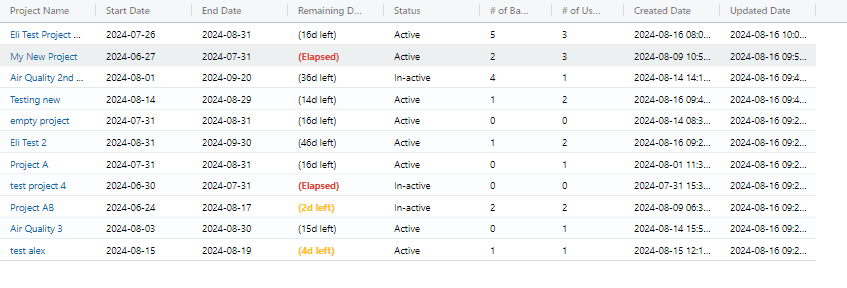
- ·A base unit can only be assigned to one active project at a time.
- ·Base units in active projects don't appear when creating new projects — they're locked to the existing project.
- ·Once a project is archived, its base units become available to assign elsewhere.
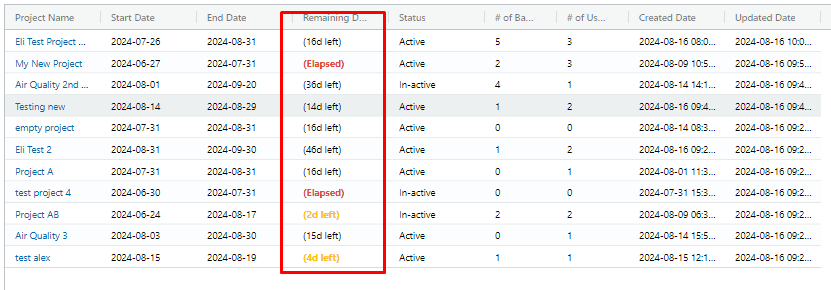
Project end-date indicators
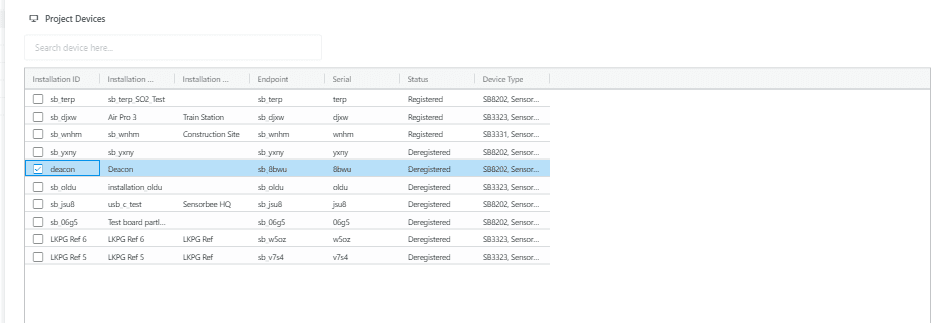
The end-date column in the project list is colour-coded so projects nearing expiry are easy to spot:
| Style | Meaning |
|---|---|
| Orange text | End date 5–10 days away. |
| Orange bold text | End date 5 days or fewer away (still future). |
| Red bold text | End date is today or has already passed — needs action (archive or extend). |