
Replace Battery
If the internal battery is defective or has reached end of life, it can be replaced in the field. Use only replacement batteries supplied by Sensorbee.
1. Remove the unit from the bracket
Disconnect any cables, then undo the four screws on the mounting bracket and lift the unit off.
2. Open the housing
Undo the 8 housing screws, then use a T10 Torx screwdriver to remove the 4 screws holding the battery clamp to the unit.
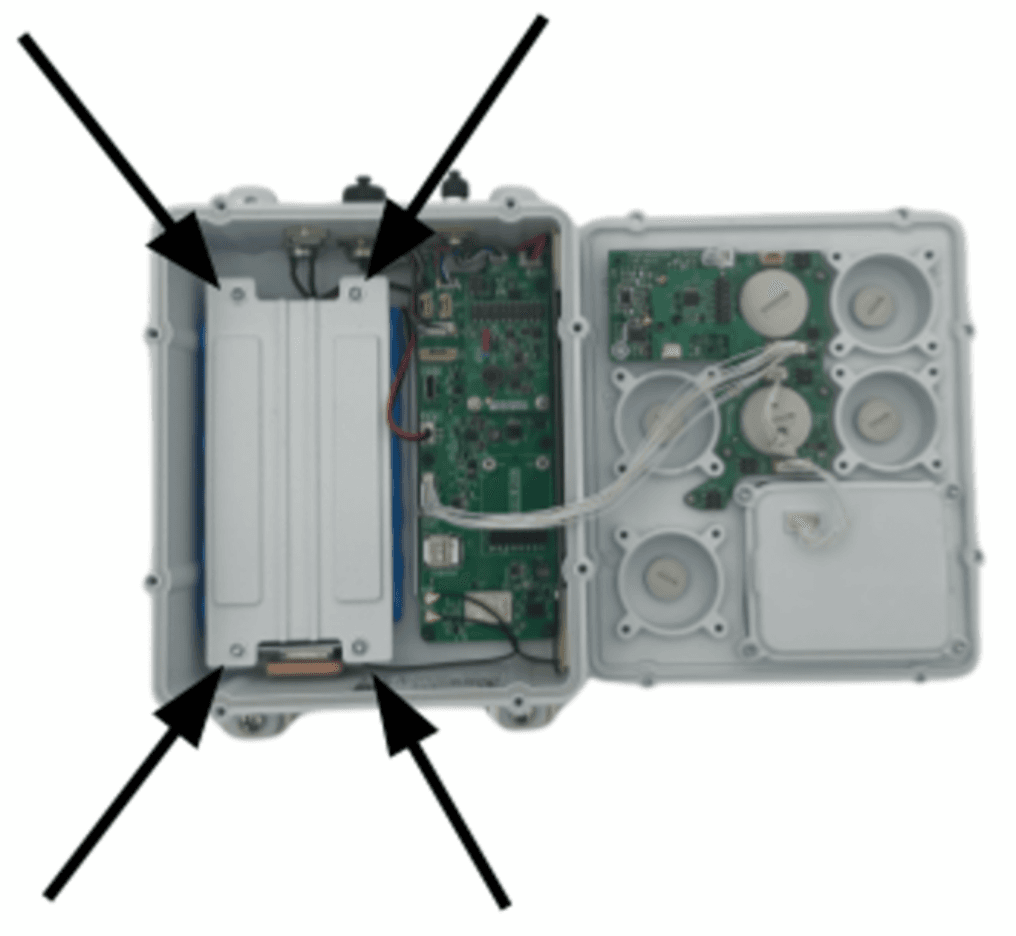
3. Disconnect the old battery
Locate the BAT connector on the circuit board. Gently pull the red-and-black cable connector out — only the white plastic housing should come free.
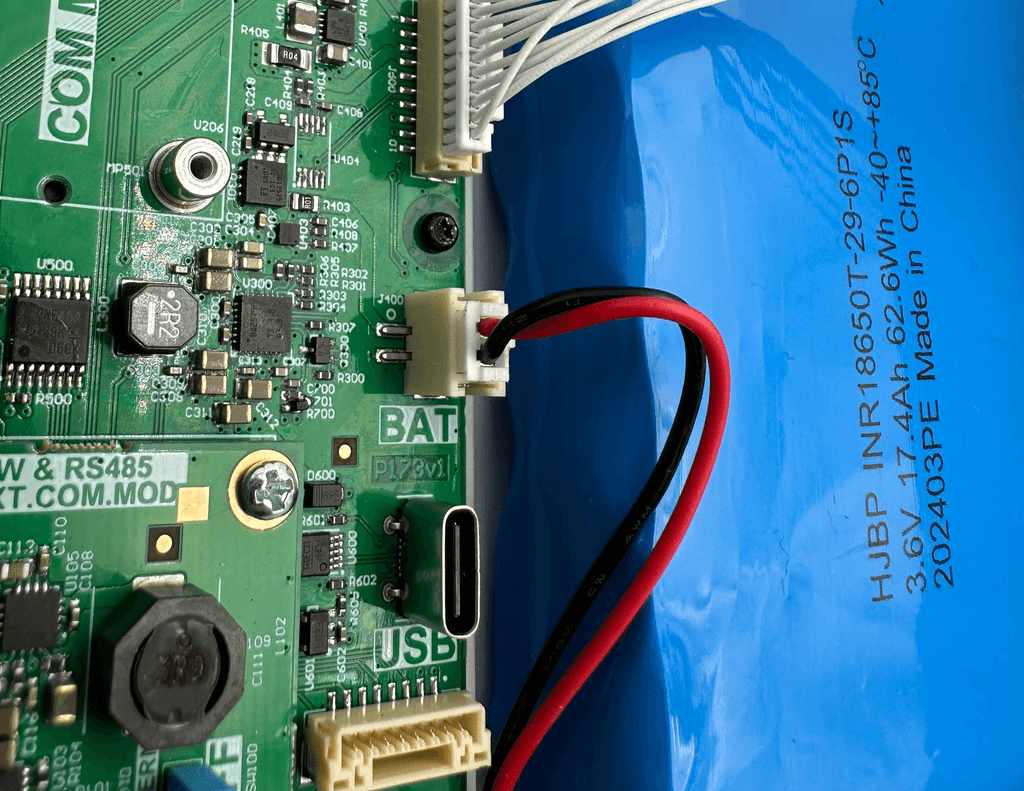
4. Fit the replacement battery
Place the new battery between the cover holes with the red-and-black cable side facing the front of the unit (where the inputs are). Make sure no cables are trapped underneath.
Plug the replacement battery's connector into the BAT socket. The black (negative) wire must be on the left, closest to the USB-C connector — reversing polarity will cause permanent damage.
5. Close the housing
Fit the battery clamp back in place with its four screws. Slide the cover onto the battery (padded side down, under the white cables running across the top), align the screw holes with the housing, and tighten with the T10 Torx screwdriver.
6. Verify
Power the unit and watch the status LED go through its usual boot sequence (see Startup). If the LED doesn't light, check the BAT connector — and as a fallback, power the unit from an external supply to confirm the board is fine.
Refitting the sensor house: use the T10 Torx screwdriver to screw the sensor house back onto the base. Double-check that the cable between them isn't pinched in the seal.