
Deployment
Deployment is the last stage of the Quick Start Guide. Before you go to the site, complete Commissioning indoors, so that you know the unit starts, every sensor sends values and the pairing works.
On site
- Switch the unit off before you move it. Disconnect external power, then hold the power button for 4 seconds. See Switching off.
- Check the location against the list in Choosing the location: free air flow, no local sources, 3 to 4 m above the ground, shade for the unit, sun for the solar panel, mobile coverage.
- Mount the unit upright on a pole with the hose clamps, or on a wall with four screws. The "MOUNT THIS WAY UP" arrow on the back label must point up; the connector panel and the air inlet then point down. See Mounting.
- Connect power and sensors before you clip the unit onto the bracket. Leave the caps on unused connectors. See Connecting power and external sensors.
- Switch on and confirm. Hold the power button for 2 seconds and watch the status LED: blue, blinking purple, steady purple, one green blink, then off. Check on the data platform that the unit is online and that the mobile signal is Fair or better.
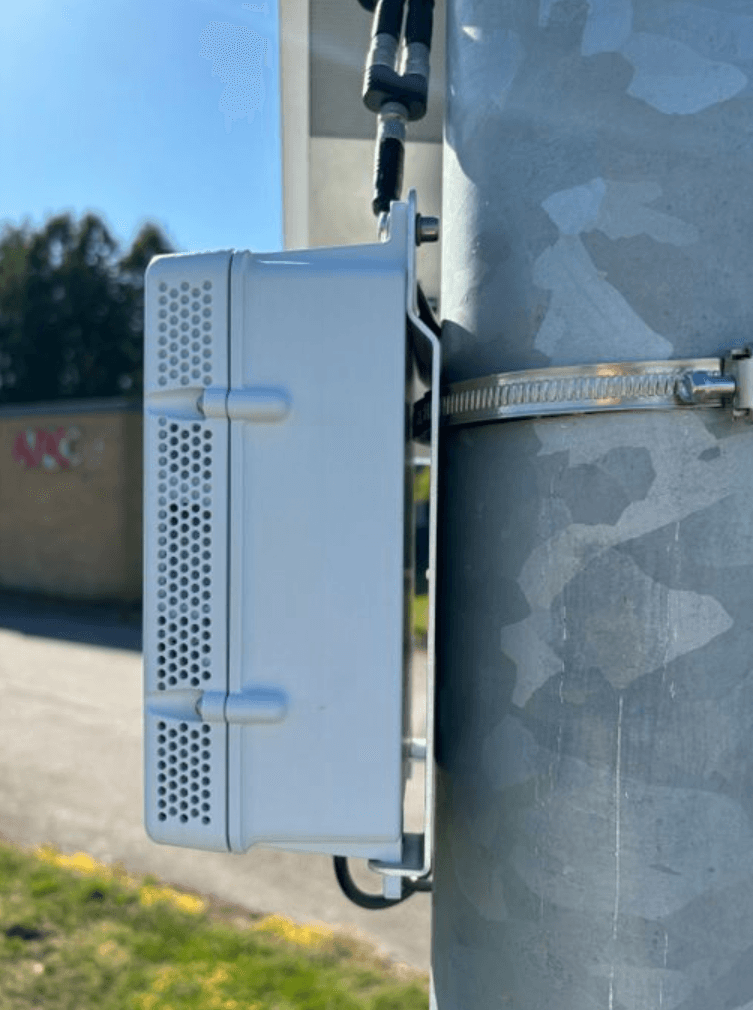
Check the hose clamps or wall screws after the first month in service and at every planned visit. See Routine inspection.