
Parts of the Sensorbee Pro2
Identify each connector and control on the unit before wiring up power and external sensors.
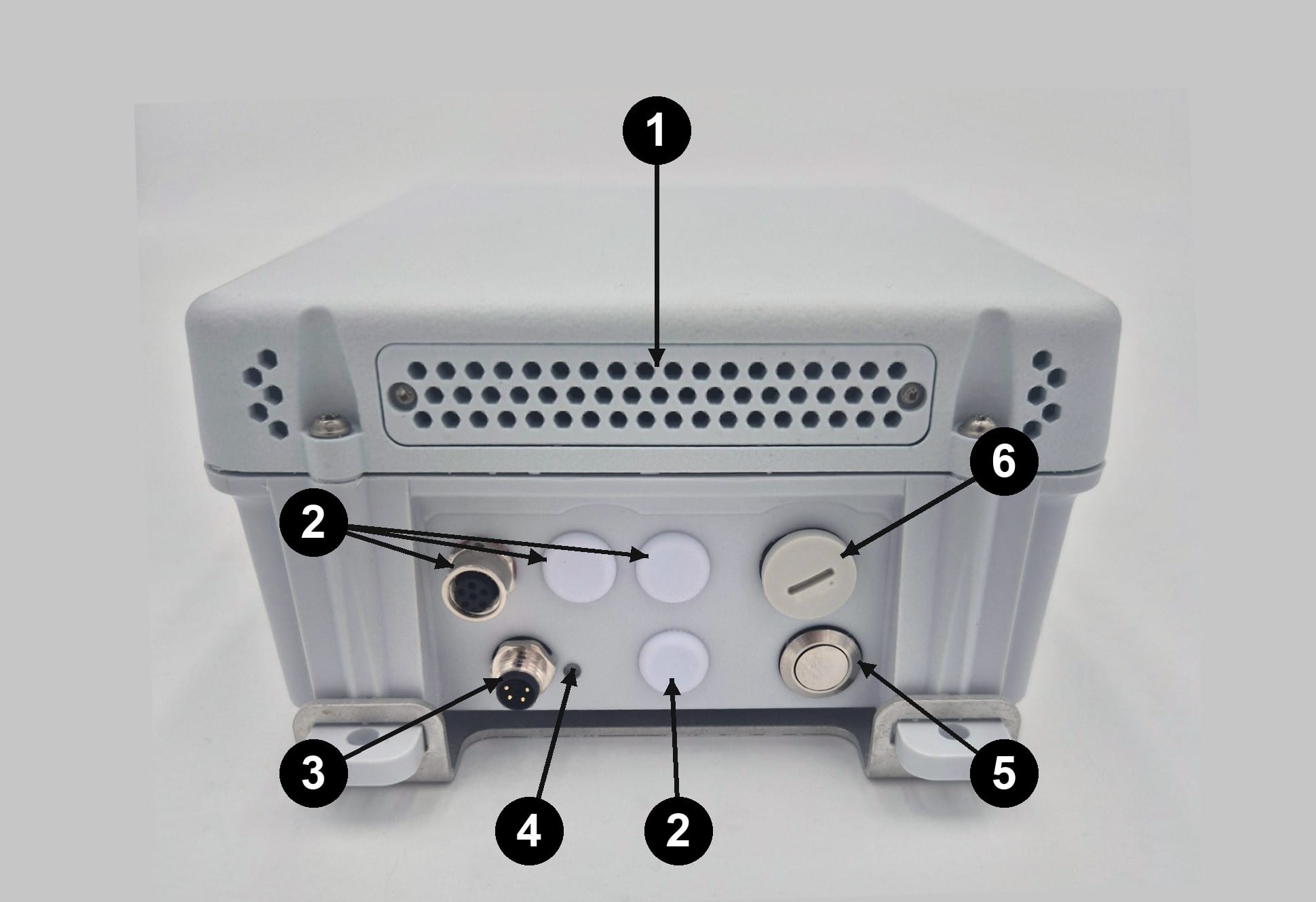
- Air inlet for the internal gas modules and for the humidity and pressure sensors.
- Sensor ports (M8 6-pin female, type A) for Sensorbee external sensors. A unit can have up to four; an unused port is closed with a cap.
- Power connector (M8 4-pin male, type A), 5–24 V DC input.
- Status LED — indicates the unit's current state.
- Power button.
- Blanking plug (M12 x 1.5), closing an unused position in the panel.
The connectors depend on the configuration, so the panel of your unit can look different from the figure. The USB-C service port is inside the enclosure; see Configuration over USB-C.
Labels on the unit
Two labels identify the unit.
| Label | What it shows |
|---|---|
| Back label | The same on every unit: product name and model, input rating, manufacturer, the regulatory markings for all markets, the laser classification, a "MOUNT THIS WAY UP" arrow, a key to the status LED, and a QR code that opens the documentation. |
| Side label | Printed for each unit: serial number, IMEI, month and year of manufacture, and the pairing QR code with its pairing ID. |
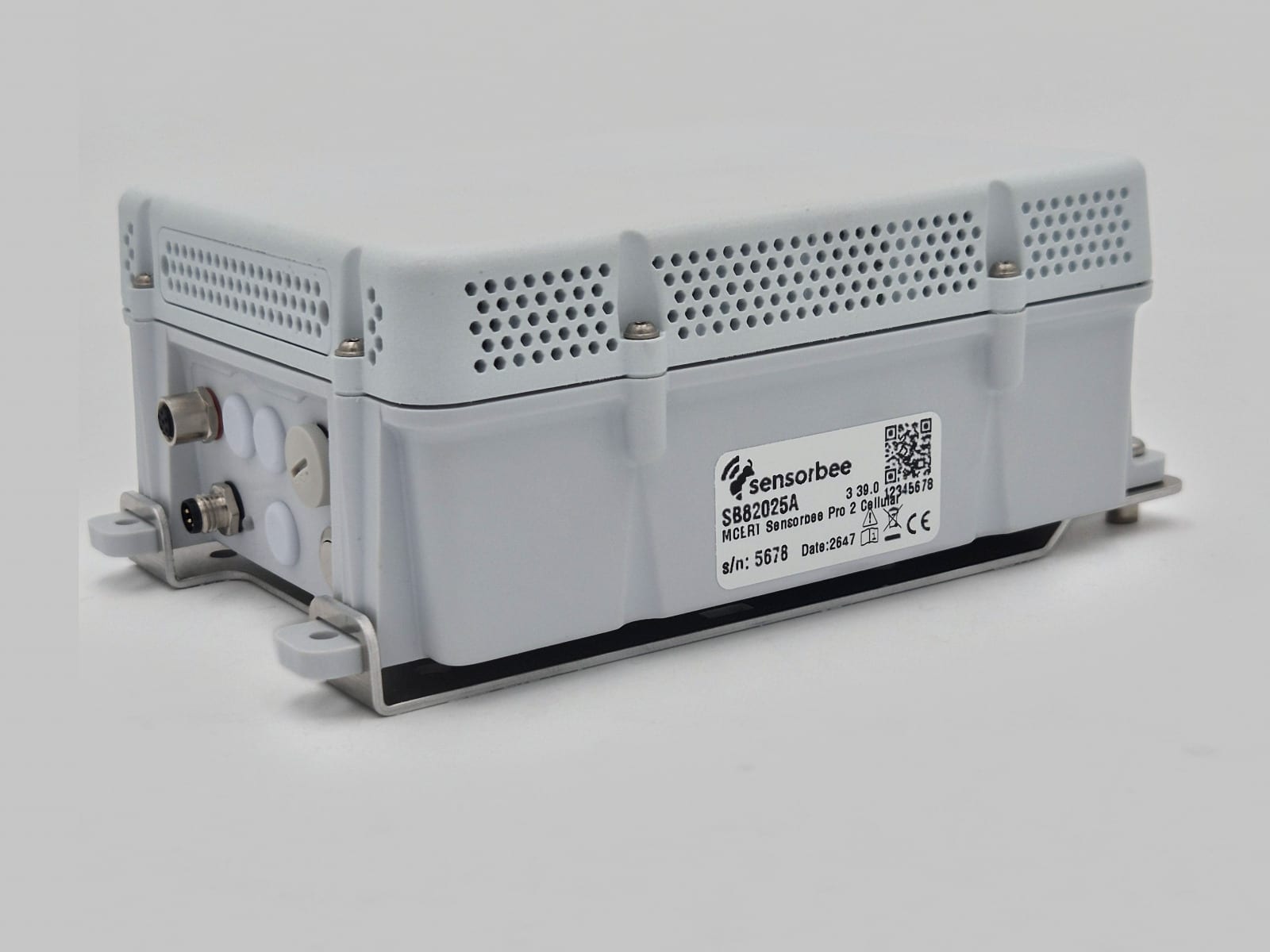
Two QR codes, two purposes. The QR code on the back label opens the documentation: this manual and the declarations of conformity. The QR code on the side label pairs the unit with a data platform; see Connecting to a data platform. Write down the serial number and the pairing ID before you mount the unit. The labels are hard to read when the unit is high on a pole, and the back label then faces the pole or wall.
The labels are part of the compliance evidence of the product. Do not remove, cover or replace them. If you cannot read a label any more, contact Sensorbee.
Status LED and power button
The status LED (item 4) is off in normal operation. It lights during start, shutdown, faults and service. The power button (item 5) starts the unit, answers an alive check and switches the unit off. See Status LED for the full colour table and the button functions.