
Maintenance
CAUTION. Only qualified persons may do maintenance. Switch the unit off and disconnect external power before any procedure where you open the enclosure. Never connect or disconnect a module while the unit is on. Use ESD protection all the time. Work in a dry place. Do not open the unit in rain or in very humid air. In the field, do only the procedures in this section.
Routine inspection
| When | What to do |
|---|---|
| Every site visit | Check the enclosure, cables and connectors for damage, for water and for damage from sunlight. Check that the air inlet is clear, that the unit is the right way up and that unused connectors have their caps. Check that the clamps or wall screws are tight. |
| Every month, on the platform | Check the signal strength (RSRP), the battery level and that no data is missing. |
| Solar installations | Clean the panel. Check that plants or new structures do not shade it. |
| At least every 12 months | Check or calibrate the PM and gas measurements as your monitoring programme requires (see Calibration below). |
| Every 24 months | Replace the PM module (recommended). See Replacing the particulate matter module. |
| When needed | Replace gas modules that have reached the end of their life. See Installing or replacing gas modules. |
| Units in storage, every 3 months | Check and charge the battery. See Storage. |
Opening and closing the unit
The enclosure has two halves. The base holds the main board, the battery and the connectors. The sensor house holds the PM module, the EnviroSense module and the six bays for gas modules. A cable connects the two halves.
- Switch the unit off (see Switching off) and disconnect all cables.
- Remove the four screws that hold the unit on the mounting bracket. Lift the unit off.
- Remove the eight enclosure screws with a T10 Torx screwdriver. Separate the sensor house from the base.
- Put the sensor house upside down next to the base. Leave the cable between the two halves connected.
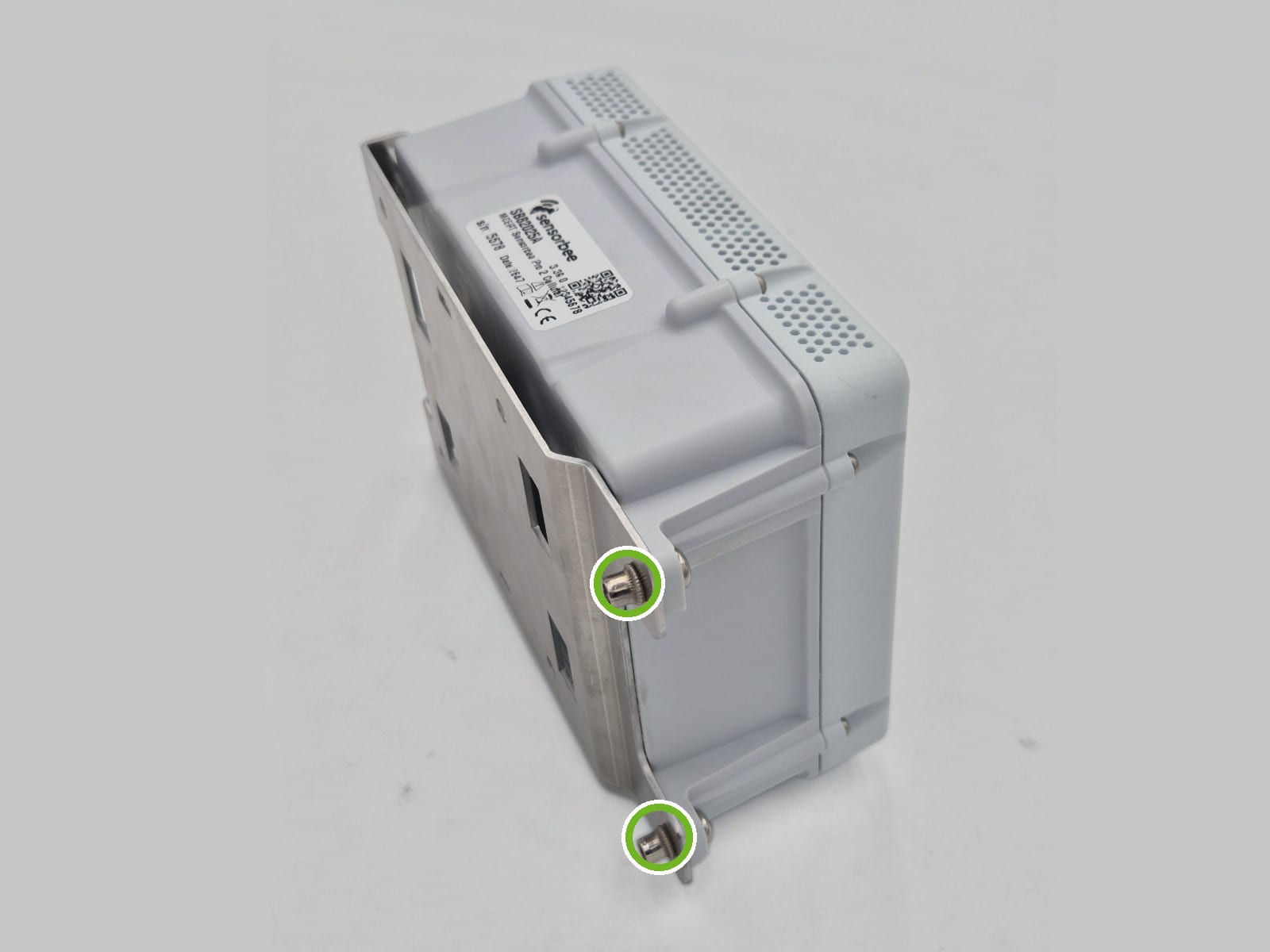
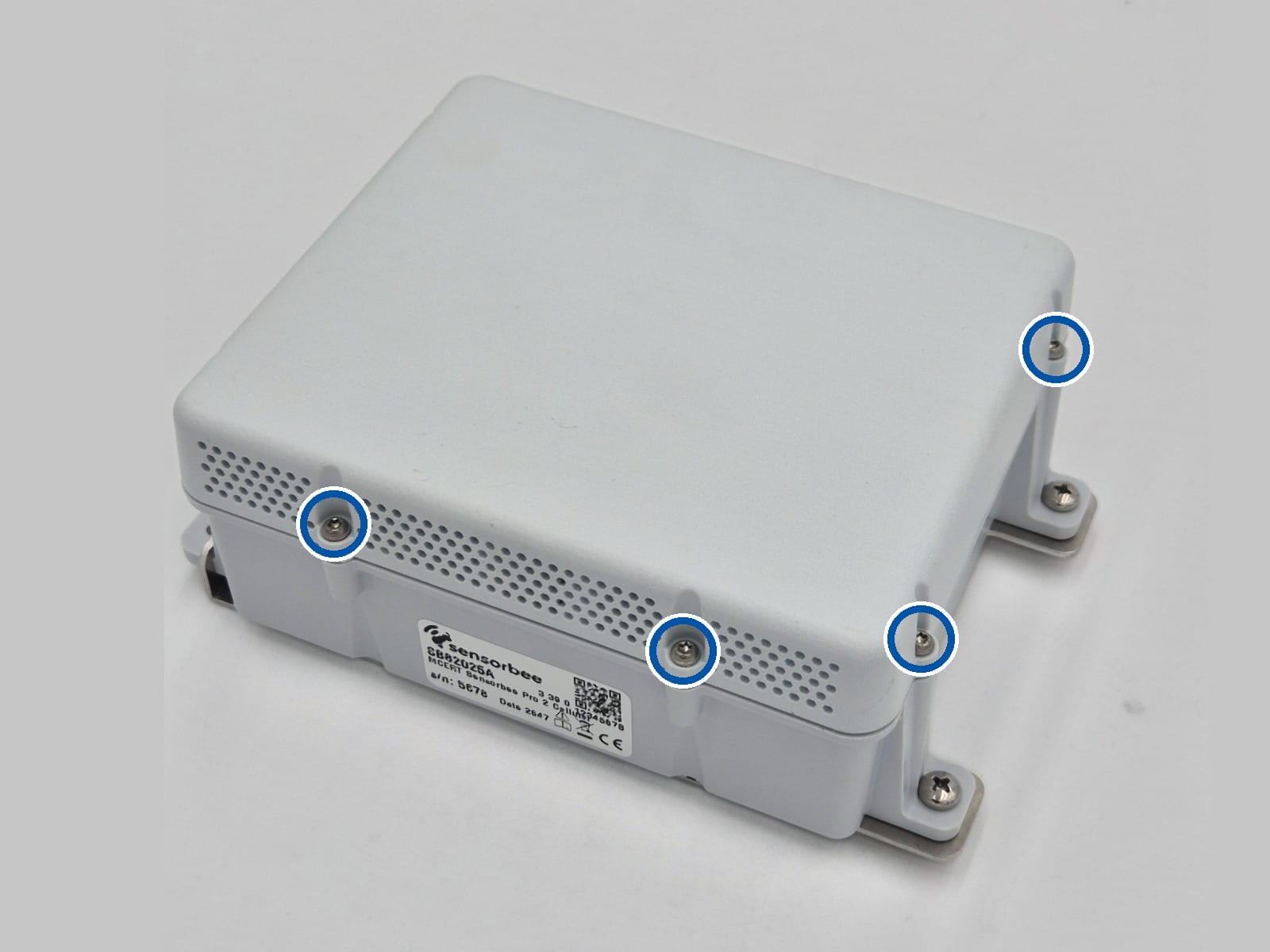
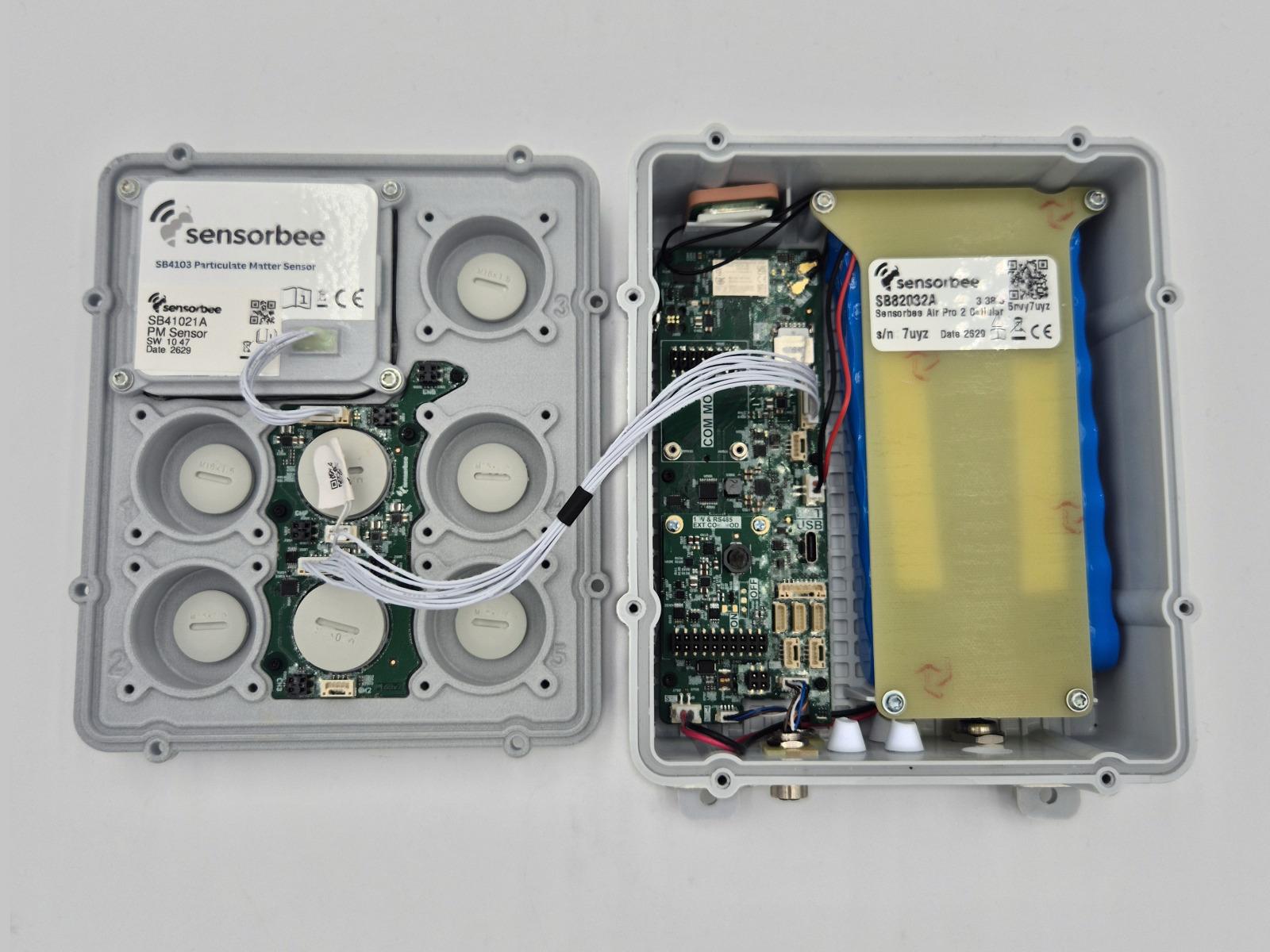
To close the unit: put the sensor house back on the base. Make sure that the cable between the halves is not caught in the seal. A cable in the seal damages the wires and lets water in. Tighten the eight screws as described below. Then put the unit back on its bracket.
Screw handling
The enclosure screws and the module screws are stainless steel Torx T10 screws, 3 × 12 mm. They go into plastic threads. The plastic thread is damaged before the screw breaks, so be careful:
| Unscrewing | Tightening | |
|---|---|---|
| Torque | 0.6 Nm or less | 0.4–0.6 Nm |
| Speed | 200 rpm or less, or by hand | 200 rpm or less, or by hand |
| Tool | Hand driver or driver with clutch | Hand driver or driver with clutch |
- ·Never use an impact driver.
- ·Press the T10 bit lightly and fully into the screw head, so that it cannot slip and damage the head.
- ·If a screw does not come loose at 0.8 Nm, stop and contact Sensorbee support.
- ·To put a screw back, first turn it anticlockwise by hand until it drops into the old thread. Then tighten to 0.4–0.6 Nm. Do not tighten more.
- ·Replace a screw that turns without becoming tight, or that has a damaged head.
Procedures
- ·Installing or replacing gas modules
- ·Replacing the particulate matter module
- ·Replacing the EnviroSense module
- ·Replacing the battery
The EnviroSense and particle module procedures are also available as a printable service instruction: Exchanging the Envirosense and Particle Sensor Modules (PDF).
Cleaning
- ·Clean the enclosure only with a soft, damp cloth. Do not use solvents, detergents, abrasive materials, compressed air or high-pressure water.
- ·Do not push anything into the air inlet. Switch the unit off and remove leaves, insect nests and other blockages by hand.
- ·Clean the surface of a solar panel with water and a soft cloth.
Calibration
- ·Every unit and every module is calibrated at the factory.
- ·The response of a sensor changes slowly with time (drift). Electrochemical gas sensors drift most. Check the calibration at the interval that your monitoring programme and the applicable standard require.
- ·Calibration against a reference instrument next to the unit, and the correction factors from it, are handled in the data platform. On your own LwM2M server, this is your responsibility.
- ·If you report particulate data as MCERTS data, follow the on-site calibration described in Measurement data.