
Installation
Read Safety before you start. Only qualified persons may do the tasks in this section.
From box to data
The Quick Start Guide shows the order of work in seven steps. Steps 1 to 5 are done indoors. Steps 6 and 7 are done on site.
Test indoors first. Do steps 1 to 5 indoors before you go to the site. It is much easier to find a problem on a table than on a pole.
In this section
Mounting
WARNING. Fall hazard, falling-object hazard and electrocution hazard. Before you start work at height, check the fall-protection plan, the condition of the access equipment and the distance to overhead power lines. See Mounting and work at height.
This way up. Mount the unit upright. The "MOUNT THIS WAY UP" arrow on the back label must point up. The connector panel and the air inlet then point down.
Write down the serial number and the pairing ID from the side label before you mount the unit. Connect the cables before you put the unit on its bracket. Both are hard to reach later.
On a pole
- Fasten the mounting bracket to the pole with the two stainless steel hose clamps from the box.
- Tighten the clamps with a screwdriver or a 6 mm socket wrench. Cut off the end of the band that is left over.
- Connect the cables to the unit (see below).
- Clip the unit onto the bracket. Check that it sits fully in place.
- Check that the unit is the right way up. If you have a solar panel, check its direction.
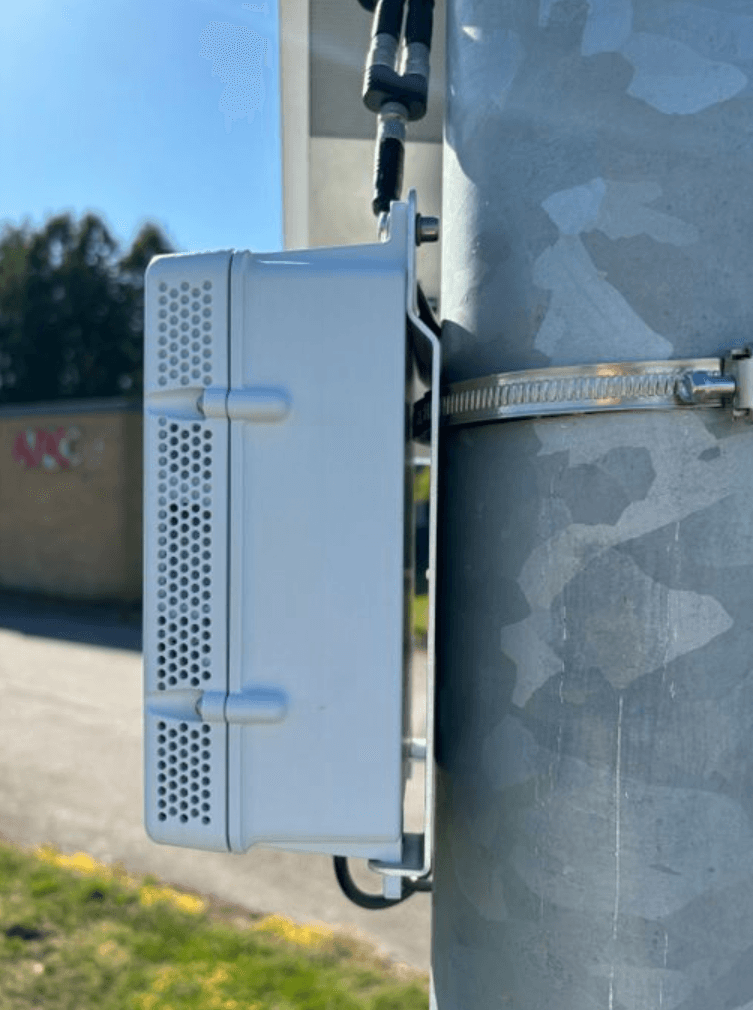
On a wall
- Fasten the mounting bracket to the wall with four screws that suit the wall material and the wind load.
- Connect the cables to the unit (see below).
- Clip the unit onto the bracket. Check that it sits fully in place.
Connecting power and external sensors
- Connect the cable from the solar panel, power adapter or external battery pack to the power connector (item 3 on the connector panel).
- Connect each external sensor to a sensor port (item 2). You can connect it directly, or through an extender or splitter cable.
- Tighten the connector nuts by hand. Leave the protective caps on connectors that you do not use.
- Route the cables so that water cannot run along a cable into a connector. Fasten the cables so that the wind cannot move them.
The unit detects external sensors when it starts. If you connect a sensor while the unit is running, restart the unit.
Then continue with Switching on for the first time.